

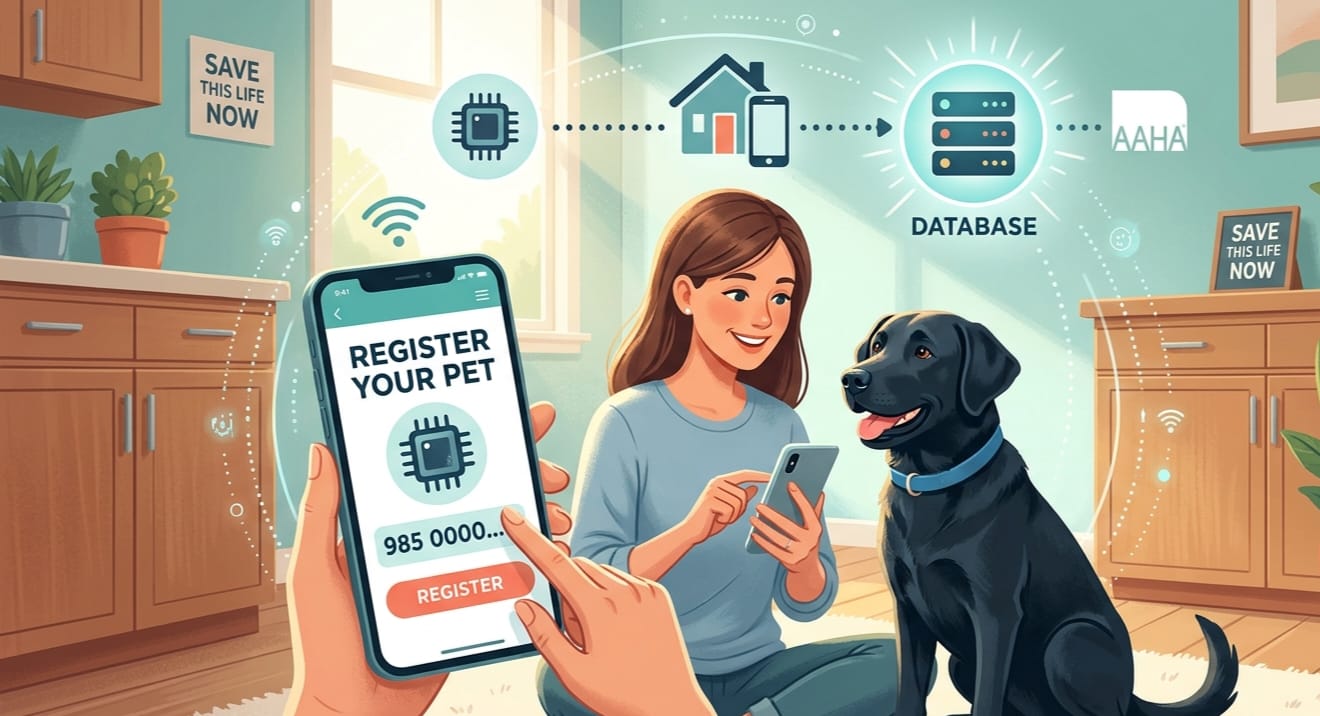
How to Register a Pet Microchip: Complete Step-by-Step Guide
Pet SafetyBy Save This Life Now TeamUpdated: April 2026⏱ 9 min read
Your pet has been microchipped — but the chip alone won’t bring them home if they go missing. Registration is the step that actually works. Without it, a shelter can scan your pet’s chip, see a number, and have no way to reach you. This guide walks you through exactly how to register a pet microchip in 5 simple steps — in about 10 minutes, for free.
Quick Answer — How to Register a Pet Microchip
Step 1: Get your pet’s 15-digit chip number from your vet. Step 2: Go to foundanimals.org (free, lifetime). Step 3: Create an account. Step 4: Enter chip number + your contact details. Step 5: Verify at lookup.aaha.org. Done — takes about 10 minutes, costs nothing.
Critical Fact — Most Pet Owners Skip This Step
A 2021 study found that over 35% of microchipped pets arriving at shelters were not registered in any database. The chip was implanted — but without registration, it was completely useless. If you’ve already had your pet chipped, stop reading and register right now. It takes 10 minutes and is free.
📋 Table of Contents
- Why Registration Is More Important Than the Chip Itself
- What You Need Before You Register
- 5 Steps to Register Your Pet’s Microchip
- Best Pet Microchip Registries in the USA
- How to Verify Your Registration Is Working
- How to Update Your Information
- 7 Registration Mistakes That Cost Pets Their Lives
- Frequently Asked Questions
Why Registration Is More Important Than the Chip Itselfhttps://savethislifenow.com/how-much-do-es-it-cost-to-microchip-a-dog/
Think of it this way: a microchip without registration is like a phone number nobody knows to call. The chip is just a tiny radio transmitter buried under your pet’s skin. All it does is broadcast a 15-digit number when a scanner is held nearby. That number means nothing until someone links it to you in a database.
Here is exactly what happens when a shelter finds your missing pet:
- A staff member scans your pet within the first hour of arrival
- The scanner displays a 15-digit microchip number
- Staff search that number in the AAHA Universal Lookup database
- If registered: your name and phone number appear — they call you within hours
- If not registered: nothing appears — your pet enters the shelter system as an anonymous stray
Time Matters More Than You Think
Many shelters have holding periods as short as 72 hours for unidentified stray animals. A registered chip can trigger a reunion call within hours of your pet’s arrival — long before any deadline. An unregistered chip offers no protection at all, no matter how expensive it was to implant.
What You Need Before You Register
Registration takes about 10 minutes. Gather these things before you start:
- Your pet’s 15-digit microchip number— on your vet’s paperwork, a sticker card, or pet passport. If you can’t find it, any vet or shelter will scan your pet for free.
- Your full name— as it will appear in the database
- Your current home address— shelters use this if they can’t reach you by phone
- Your primary phone number— the number you answer most reliably
- A secondary emergency contact— a trusted family member or friend with a different number
- Your email address— to create your registry account
- A clear photo of your pet— not required but strongly recommended for faster reunions
Can’t Find Your Chip Number?
Don’t worry. Just call your vet and ask them to look it up in your pet’s file — they record it during the procedure. Alternatively, bring your pet to any vet clinic or animal shelter and ask them to scan for a chip. They’ll do it for free in under 30 seconds and give you the number on the spot.
5 Steps to Register Your Pet’s Microchip (Complete Walkthrough)
1Get chip number
2Choose registry
3Create account
4Enter details
5Verify it works
Step One
Find Your Pet’s Microchip Number
⏱ Takes: 1–2 minutes
Your pet’s microchip number is a unique 15-digit identification number (sometimes 9 or 10 digits for older chips). This is the number you’ll enter into the registry database — it’s the link between the physical chip and your contact information.
Where to find it:
- Vet paperwork — most vets give you a document or sticker card at the time of implantation
- Your pet’s medical records — ask your vet clinic to email you a copy
- Pet passport or registration booklet — if your pet has traveled internationally
- Ask your vet to scan — they’ll find the number in seconds at no charge
- Any animal shelter — drop in and ask; scanning is always free
Write it down in two places — save it in your phone contacts as “Pet Chip Number” AND write it on a sticky note inside your pet’s file folder. If you ever need to update your registry information, you’ll need this number.
2
Step Two
Choose the Right Pet Microchip Registry
The United States does not have a single national microchip registry — instead, there are multiple competing databases. This is the #1 source of confusion for pet owners. Here is what you need to know:
You should register in at least TWO registries: one free universal-lookup registry, and the one your local shelter checks first. We’ll explain how to find your shelter’s preferred registry in Step 4.
For right now, start with Found Animals Registry (foundanimals.org) — it’s free, lifetime, and one of the most widely searched databases in the US.
Don’t pay yet. Free registration is just as effective as paid for the core function of reuniting you with your pet. Paid registries offer extras like lost pet alerts and hotlines — but the database lookup itself works exactly the same.
3
Step Three
Create Your Registry Account
Go to your chosen registry website and create an account. Here is exactly what to do at Found Animals Registry (foundanimals.org) — the process is similar at all registries:
- Go to foundanimals.org/microchip-registry/
- Click “Register a Microchip” or “Get Started”
- Enter your email address and create a password
- Check your email and click the confirmation link they send you
- Log back into your new account
💡 Use an email you check regularly. If a shelter finds your pet and the registry sends an automated alert, you want to see it immediately — not days later from a rarely-checked inbox.
4
Step Four
Enter Your Chip Number and Contact Details
Takes: 3 minutes
This is the most important step. Fill in every field carefully — this is the information a shelter will use to call you when your pet is found.
Information to enter:
- Microchip number — enter all 15 digits exactly as they appear; double-check for typos
- Pet’s name — full name, not just a nickname
- Pet species and breed — dog, cat, rabbit, etc. + breed
- Pet’s color and distinguishing features — markings, scars, unusual features
- Your full legal name
- Current home address — not a PO box; a physical address so a shelter can contact local authorities if needed
- Primary phone number — the number you answer 24/7
- Secondary/emergency contact — a different person with a different number
- Your email address
- Pet photo — upload the clearest photo you have of your pet’s face and full body
💡 Add a secondary contact who lives elsewhere. If you’re traveling when your pet goes missing, your neighbor or family member may be reachable when you aren’t. This one addition has reunited countless pets with owners who were temporarily unreachable.
After filling in all fields, also call your local animal shelter and ask: “Which microchip registry do you check when a stray arrives?” Then register in that database too. Different shelters use different registries as their primary search — registering in the one your local shelter prefers dramatically increases your chances of a quick reunion.
5
Step Five
Verify Your Registration Is Working
Takes: 1 minute
This step is critical and almost nobody does it. After registering, you need to confirm the chip number is actually searchable in the universal database that shelters use. Here’s how:
How to Verify Your Chip Registration
- Go tolookup.aaha.org(AAHA Universal Pet Microchip Lookup)
- Enter your pet’s 15-digit chip number in the search box
- Click“Search”
- If your chip is registered, the tool will show which database holds your record
- If nothing appears — wait 24–48 hours (some registries take time to sync) and check again
- If still nothing after 48 hours — contact your registry’s support team
💡 Why AAHA? The AAHA Universal Pet Microchip Lookup is the official multi-database search tool used by shelters, vets, and animal control officers across the United States. If your chip doesn’t show up here, many shelters will never find your registration — even if it exists in a single registry.
Best Pet Microchip Registries in the USA How to Register a Pet Microchip
Here is a detailed comparison of every major US microchip registry so you can choose the right one for your pet:
Found Animals Registry
foundanimals.org/microchip-registry
⭐ RecommendedFREE — Lifetime
The best free option available. Lifetime registration with no annual fee, no hidden costs, and no upselling. Widely recognized and searched by shelters across the US. This should be your first registration for every pet.
No annual feeLifetime registrationEasy to useWidely searched
AAHA Universal Pet Microchip Lookup
lookup.aaha.org
FREE to Search
Not a registry itself — this is the official universal search tool used by vets and shelters nationwide. It searches multiple databases simultaneously. Use this tool to verify that your chip number is findable after registration.
Searches all databasesUsed by sheltersFree to search
PetLink
petlink.net
FREE Basic
Free basic registration with no annual fee. Often included when certain chip brands are purchased. Optional paid plans add lost pet notification alerts. A good second registry to register in alongside Found Animals.
Free basic planIncluded with some chipsOptional alerts
AKC Reunite
akcreunite.org
From $17.50
Run by the American Kennel Club. Small one-time or annual fee. Includes a 24/7 lost pet recovery hotline staffed by real people, proactive recovery assistance, and national lost pet alerts. Good choice if you want added peace of mind.
24/7 hotlineAKC trusted brandLost pet alerts
HomeAgain
homeagain.com
~$19.99/year
One of the most widely recognized paid registries, used by many shelters as a primary search. Annual fee includes 24/7 hotline, lost pet national alerts, and travel assistance. Many microchips come with a free HomeAgain trial period.
Widely used by sheltersNational alertsTravel assistance
PetKey
petkey.org
FREE
Another solid free registry option. Clean interface, lifetime registration, no annual fee. Recommended as a third registry for extra coverage — the more databases your chip appears in, the better your odds of a fast reunion.
Free lifetimeAdditional coverage
Our Registration Strategy: Register in Three Places
Register your chip at (1) Found Animals Registry (free, lifetime), (2) the registry your local shelter prefers (call and ask them), and (3) PetLink or PetKey for extra database coverage. This three-registry approach gives your pet the widest possible safety net — and two of the three are completely free.
How to Verify Your Pet’s Microchip Registration
After registering, always verify your chip is truly searchable. Many pet owners register correctly but their chip never appears in the universal database due to data sync delays or entry errors. Here is the complete verification process:
- Wait 24–48 hours after registration before checking — some databases take time to sync with the universal lookup
- Go to lookup.aaha.org
- Type your pet’s 15-digit chip number exactly
- Click “Search”
- A result showing your registry name means success — your chip is findable
- No result means the chip is either not yet synced, entered incorrectly, or not registered — contact your registry’s support
Common Reason Chips Don’t Appear: Number Typo
A single wrong digit in your 15-digit chip number means the chip is completely unsearchable. Always double-check the number by asking your vet to re-scan your pet and comparing it to what you entered in the registry. This is the most common registration error and the easiest to fix.
How to Update Your Microchip Registration Information
Your chip number never changes — but your contact information will. Every time you move, change your phone number, or change your emergency contact, you must update your registry record. An outdated registration is nearly as useless as no registration.
When to update your registry:
- You move to a new address
- You get a new phone number
- Your emergency contact changes
- You change your email address
- Ownership of the pet transfers to someone else
- You adopt a new pet whose chip was registered by a rescue or previous owner
How to update (it’s simple):
- Log into your account at whichever registry you used
- Find your pet’s profile
- Click “Edit” or “Update Information”
- Change the relevant fields
- Save and confirm
- Re-verify at lookup.aaha.org to confirm the updated details are showing
Set an Annual Reminder
Set a recurring calendar reminder every year on your pet’s birthday or adoption anniversary. When it fires, take 2 minutes to log into your registry and confirm everything is still current. This simple habit has reunited thousands of lost pets whose owners moved and forgot to update their records.
7 Registration Mistakes That Cost Pets Their Lives
These are the most common errors pet owners make — and they are all completely avoidable:
Never registering at all
The most common mistake. The vet implants the chip, hands you paperwork, and you go home assuming it’s done. It isn’t. Registration is a completely separate step that you must do yourself.
Registering with an old phone number
If you changed your number and didn’t update the registry, the shelter cannot reach you. A chip registered to a disconnected number is functionally useless.
Only registering in one database
Different shelters check different databases. Registering in only one means that shelters using a different primary registry may find nothing when they search your chip number.
Typing the chip number wrong
A single digit typo in your 15-digit chip number means no one will ever find your registration. Always verify against your vet’s documentation and confirm at lookup.aaha.org.
Not updating after moving
Shelters use your registered address to contact local animal control and post reunification notices in your area. An old address sends them to the wrong city.
Not adding a secondary contact
If you’re traveling, at work, or in a low-signal area when your pet is found, a secondary contact ensures someone can be reached immediately on your behalf.
Assuming the vet registered for you
Some vets register the chip — many do not. Never assume. Always ask your vet: “Did you register this chip in a database, and if so, which one?” Then verify at lookup.aaha.org yourself.
Register Your Pet’s Chip Right Now
It’s free, takes 10 minutes, and could be the reason your pet comes home. Don’t put it off.Register Free at Found Animals → Verify Your Chip at AAHA →
Frequently Asked Questions About Pet Microchip Registration
How do I register my pet’s microchip?+
Go to foundanimals.org, create a free account, enter your pet’s 15-digit chip number, and fill in your name, address, and phone number. Then verify the registration worked by searching your chip number at lookup.aaha.org. The entire process takes about 10 minutes and is completely free.Is pet microchip registration free?+How do I find my pet’s microchip number?+How do I know if my pet’s microchip is registered?+Can I register my pet’s microchip myself without a vet?+What happens if I don’t register my pet’s microchip?+How do I transfer a microchip registration to a new owner?+How many registries should I register my pet in?+
You’re 10 Minutes Away From Protecting Your Pet for Life
Registering your pet’s microchip is one of the quickest, easiest, and most impactful things you will ever do as a pet owner. It costs nothing, takes 10 minutes, and could be the single reason your pet comes home instead of becoming another statistic.
If you’ve been putting it off — stop now and do it. If you’ve already registered — go verify at lookup.aaha.org that your information is current. If you’ve moved, changed your number, or added a new contact since you registered — log in and update it right now.
Your pet trusts you completely. Registration is how you honor that trust.How to Register a Pet Microchip: Complete Step-by-Step Guide (2026)
Pet SafetyBy Save This Life Now TeamUpdated: April 2026⏱ 9 min read
Your pet has been microchipped — but the chip alone won’t bring them home if they go missing. Registration is the step that actually works. Without it, a shelter can scan your pet’s chip, see a number, and have no way to reach you. This guide walks you through exactly how to register a pet microchip in 5 simple steps — in about 10 minutes, for free.
Quick Answer — How to Register a Pet Microchip
Step 1: Get your pet’s 15-digit chip number from your vet. Step 2: Go to foundanimals.org (free, lifetime). Step 3: Create an account. Step 4: Enter chip number + your contact details. Step 5: Verify at lookup.aaha.org. Done — takes about 10 minutes, costs nothing.
Critical Fact — Most Pet Owners Skip This Step
A 2021 study found that over 35% of microchipped pets arriving at shelters were not registered in any database. The chip was implanted — but without registration, it was completely useless. If you’ve already had your pet chipped, stop reading and register right now. It takes 10 minutes and is free.
Table of Contents
- Why Registration Is More Important Than the Chip Itself
- What You Need Before You Register
- 5 Steps to Register Your Pet’s Microchip
- Best Pet Microchip Registries in the USA
- How to Verify Your Registration Is Working
- How to Update Your Information
- 7 Registration Mistakes That Cost Pets Their Lives
- Frequently Asked Questions
Why Registration Is More Important Than the Chip Itself
Think of it this way: a microchip without registration is like a phone number nobody knows to call. The chip is just a tiny radio transmitter buried under your pet’s skin. All it does is broadcast a 15-digit number when a scanner is held nearby. That number means nothing until someone links it to you in a database.
Here is exactly what happens when a shelter finds your missing pet:
- A staff member scans your pet within the first hour of arrival
- The scanner displays a 15-digit microchip number
- Staff search that number in the AAHA Universal Lookup database
- If registered: your name and phone number appear — they call you within hours
- If not registered: nothing appears — your pet enters the shelter system as an anonymous stray
Time Matters More Than You Think
Many shelters have holding periods as short as 72 hours for unidentified stray animals. A registered chip can trigger a reunion call within hours of your pet’s arrival — long before any deadline. An unregistered chip offers no protection at all, no matter how expensive it was to implant.
What You Need Before You Register
Registration takes about 10 minutes. Gather these things before you start:
- Your pet’s 15-digit microchip number— on your vet’s paperwork, a sticker card, or pet passport. If you can’t find it, any vet or shelter will scan your pet for free.
- Your full name— as it will appear in the database
- Your current home address— shelters use this if they can’t reach you by phone
- Your primary phone number— the number you answer most reliably
- A secondary emergency contact— a trusted family member or friend with a different number
- Your email address— to create your registry account
- A clear photo of your pet— not required but strongly recommended for faster reunions
Can’t Find Your Chip Number?
Don’t worry. Just call your vet and ask them to look it up in your pet’s file — they record it during the procedure. Alternatively, bring your pet to any vet clinic or animal shelter and ask them to scan for a chip. They’ll do it for free in under 30 seconds and give you the number on the spot.
5 Steps to Register Your Pet’s Microchip (Complete Walkthrough)
1Get chip number
2Choose registry
3Create account
4Enter details
5Verify it works
1
Step One
Find Your Pet’s Microchip Number
⏱ Takes: 1–2 minutes
Your pet’s microchip number is a unique 15-digit identification number (sometimes 9 or 10 digits for older chips). This is the number you’ll enter into the registry database — it’s the link between the physical chip and your contact information.
Where to find it:
- Vet paperwork — most vets give you a document or sticker card at the time of implantation
- Your pet’s medical records — ask your vet clinic to email you a copy
- Pet passport or registration booklet — if your pet has traveled internationally
- Ask your vet to scan — they’ll find the number in seconds at no charge
- Any animal shelter — drop in and ask; scanning is always free
💡 Write it down in two places — save it in your phone contacts as “Pet Chip Number” AND write it on a sticky note inside your pet’s file folder. If you ever need to update your registry information, you’ll need this number.
2
Step Two
Choose the Right Pet Microchip Registry
⏱ Takes: 2 minutes
The United States does not have a single national microchip registry — instead, there are multiple competing databases. This is the #1 source of confusion for pet owners. Here is what you need to know:
You should register in at least TWO registries: one free universal-lookup registry, and the one your local shelter checks first. We’ll explain how to find your shelter’s preferred registry in Step 4.
For right now, start with Found Animals Registry (foundanimals.org) — it’s free, lifetime, and one of the most widely searched databases in the US.
💡 Don’t pay yet. Free registration is just as effective as paid for the core function of reuniting you with your pet. Paid registries offer extras like lost pet alerts and hotlines — but the database lookup itself works exactly the same.
3
Step Three
Create Your Registry Account
⏱ Takes: 2 minutes
Go to your chosen registry website and create an account. Here is exactly what to do at Found Animals Registry (foundanimals.org) — the process is similar at all registries:
- Go to foundanimals.org/microchip-registry/
- Click “Register a Microchip” or “Get Started”
- Enter your email address and create a password
- Check your email and click the confirmation link they send you
- Log back into your new account
💡 Use an email you check regularly. If a shelter finds your pet and the registry sends an automated alert, you want to see it immediately — not days later from a rarely-checked inbox.
4
Step Four
Enter Your Chip Number and Contact Details
Takes: 3 minutes
This is the most important step. Fill in every field carefully — this is the information a shelter will use to call you when your pet is found.
Information to enter:
- Microchip number — enter all 15 digits exactly as they appear; double-check for typos
- Pet’s name — full name, not just a nickname
- Pet species and breed — dog, cat, rabbit, etc. + breed
- Pet’s color and distinguishing features — markings, scars, unusual features
- Your full legal name
- Current home address — not a PO box; a physical address so a shelter can contact local authorities if needed
- Primary phone number — the number you answer 24/7
- Secondary/emergency contact — a different person with a different number
- Your email address
- Pet photo — upload the clearest photo you have of your pet’s face and full body
💡 Add a secondary contact who lives elsewhere. If you’re traveling when your pet goes missing, your neighbor or family member may be reachable when you aren’t. This one addition has reunited countless pets with owners who were temporarily unreachable.
After filling in all fields, also call your local animal shelter and ask: “Which microchip registry do you check when a stray arrives?” Then register in that database too. Different shelters use different registries as their primary search — registering in the one your local shelter prefers dramatically increases your chances of a quick reunion.
5
Step Five
Verify Your Registration Is Working
⏱ Takes: 1 minute
This step is critical and almost nobody does it. After registering, you need to confirm the chip number is actually searchable in the universal database that shelters use. Here’s how:
How to Verify Your Chip Registration
- Go tolookup.aaha.org(AAHA Universal Pet Microchip Lookup)
- Enter your pet’s 15-digit chip number in the search box
- Click“Search”
- If your chip is registered, the tool will show which database holds your record
- If nothing appears — wait 24–48 hours (some registries take time to sync) and check again
- If still nothing after 48 hours — contact your registry’s support team
💡 Why AAHA? The AAHA Universal Pet Microchip Lookup is the official multi-database search tool used by shelters, vets, and animal control officers across the United States. If your chip doesn’t show up here, many shelters will never find your registration — even if it exists in a single registry.
Best Pet Microchip Registries in the USA (2026)
Here is a detailed comparison of every major US microchip registry so you can choose the right one for your pet:
Found Animals Registry
foundanimals.org/microchip-registry
⭐ RecommendedFREE — Lifetime
The best free option available. Lifetime registration with no annual fee, no hidden costs, and no upselling. Widely recognized and searched by shelters across the US. This should be your first registration for every pet.
No annual feeLifetime registrationEasy to useWidely searched
AAHA Universal Pet Microchip Lookup
lookup.aaha.org
FREE to Search
Not a registry itself — this is the official universal search tool used by vets and shelters nationwide. It searches multiple databases simultaneously. Use this tool to verify that your chip number is findable after registration.
Searches all databasesUsed by sheltersFree to search
PetLink
petlink.net
FREE Basic
Free basic registration with no annual fee. Often included when certain chip brands are purchased. Optional paid plans add lost pet notification alerts. A good second registry to register in alongside Found Animals.
Free basic planIncluded with some chipsOptional alerts
AKC Reunite
akcreunite.org
From $17.50
Run by the American Kennel Club. Small one-time or annual fee. Includes a 24/7 lost pet recovery hotline staffed by real people, proactive recovery assistance, and national lost pet alerts. Good choice if you want added peace of mind.
24/7 hotlineAKC trusted brandLost pet alerts
HomeAgain
homeagain.com
~$19.99/year
One of the most widely recognized paid registries, used by many shelters as a primary search. Annual fee includes 24/7 hotline, lost pet national alerts, and travel assistance. Many microchips come with a free HomeAgain trial period.
Widely used by sheltersNational alertsTravel assistance
PetKey
petkey.org
FREE
Another solid free registry option. Clean interface, lifetime registration, no annual fee. Recommended as a third registry for extra coverage — the more databases your chip appears in, the better your odds of a fast reunion.
Free lifetimeAdditional coverage
💡 Our Registration Strategy: Register in Three Places
Register your chip at (1) Found Animals Registry (free, lifetime), (2) the registry your local shelter prefers (call and ask them), and (3) PetLink or PetKey for extra database coverage. This three-registry approach gives your pet the widest possible safety net — and two of the three are completely free.
How to Verify Your Pet’s Microchip Registration
After registering, always verify your chip is truly searchable. Many pet owners register correctly but their chip never appears in the universal database due to data sync delays or entry errors. Here is the complete verification process:
- Wait 24–48 hours after registration before checking — some databases take time to sync with the universal lookup
- Go to lookup.aaha.org
- Type your pet’s 15-digit chip number exactly
- Click “Search”
- A result showing your registry name means success — your chip is findable
- No result means the chip is either not yet synced, entered incorrectly, or not registered — contact your registry’s support
⚠️ Common Reason Chips Don’t Appear: Number Typo
A single wrong digit in your 15-digit chip number means the chip is completely unsearchable. Always double-check the number by asking your vet to re-scan your pet and comparing it to what you entered in the registry. This is the most common registration error and the easiest to fix.
How to Update Your Microchip Registration Information
Your chip number never changes — but your contact information will. Every time you move, change your phone number, or change your emergency contact, you must update your registry record. An outdated registration is nearly as useless as no registration.
When to update your registry:
- You move to a new address
- You get a new phone number
- Your emergency contact changes
- You change your email address
- Ownership of the pet transfers to someone else
- You adopt a new pet whose chip was registered by a rescue or previous owner
How to update (it’s simple):
- Log into your account at whichever registry you used
- Find your pet’s profile
- Click “Edit” or “Update Information”
- Change the relevant fields
- Save and confirm
- Re-verify at lookup.aaha.org to confirm the updated details are showing
📅 Set an Annual Reminder
Set a recurring calendar reminder every year on your pet’s birthday or adoption anniversary. When it fires, take 2 minutes to log into your registry and confirm everything is still current. This simple habit has reunited thousands of lost pets whose owners moved and forgot to update their records.
7 Registration Mistakes That Cost Pets Their Lives
These are the most common errors pet owners make — and they are all completely avoidable:
❌
Never registering at all
The most common mistake. The vet implants the chip, hands you paperwork, and you go home assuming it’s done. It isn’t. Registration is a completely separate step that you must do yourself.
❌
Registering with an old phone number
If you changed your number and didn’t update the registry, the shelter cannot reach you. A chip registered to a disconnected number is functionally useless.
❌
Only registering in one database
Different shelters check different databases. Registering in only one means that shelters using a different primary registry may find nothing when they search your chip number.
❌
Typing the chip number wrong
A single digit typo in your 15-digit chip number means no one will ever find your registration. Always verify against your vet’s documentation and confirm at lookup.aaha.org.
❌
Not updating after moving
Shelters use your registered address to contact local animal control and post reunification notices in your area. An old address sends them to the wrong city.
❌
Not adding a secondary contact
If you’re traveling, at work, or in a low-signal area when your pet is found, a secondary contact ensures someone can be reached immediately on your behalf.
❌
Assuming the vet registered for you
Some vets register the chip — many do not. Never assume. Always ask your vet: “Did you register this chip in a database, and if so, which one?” Then verify at lookup.aaha.org yourself.
🐾 Register Your Pet’s Chip Right Now
It’s free, takes 10 minutes, and could be the reason your pet comes home. Don’t put it off.Register Free at Found Animals → Verify Your Chip at AAHA →
Frequently Asked Questions About Pet Microchip Registration
How do I register my pet’s microchip?+
Go to foundanimals.org, create a free account, enter your pet’s 15-digit chip number, and fill in your name, address, and phone number. Then verify the registration worked by searching your chip number at lookup.aaha.org. The entire process takes about 10 minutes and is completely free.Is pet microchip registration free?+How do I find my pet’s microchip number?+How do I know if my pet’s microchip is registered?+Can I register my pet’s microchip myself without a vet?+What happens if I don’t register my pet’s microchip?+How do I transfer a microchip registration to a new owner?+How many registries should I register my pet in?+
You’re 10 Minutes Away From Protecting Your Pet for Life
Registering your pet’s microchip is one of the quickest, easiest, and most impactful things you will ever do as a pet owner. It costs nothing, takes 10 minutes, and could be the single reason your pet comes home instead of becoming another statistic.
If you’ve been putting it off — stop now and do it. If you’ve already registered — go verify at lookup.aaha.org that your information is current. If you’ve moved, changed your number, or added a new contact since you registered — log in and update it right now.
Your pet trusts you completely. Registration is how you honor that trust.How to Register a Pet Microchip: Complete Step-by-Step Guide (2026)
🐾 Pet SafetyBy Save This Life Now TeamUpdated: April 2026⏱ 9 min read
Your pet has been microchipped — but the chip alone won’t bring them home if they go missing. Registration is the step that actually works. Without it, a shelter can scan your pet’s chip, see a number, and have no way to reach you. This guide walks you through exactly how to register a pet microchip in 5 simple steps — in about 10 minutes, for free.
⚡ Quick Answer — How to Register a Pet Microchip
Step 1: Get your pet’s 15-digit chip number from your vet. Step 2: Go to foundanimals.org (free, lifetime). Step 3: Create an account. Step 4: Enter chip number + your contact details. Step 5: Verify at lookup.aaha.org. Done — takes about 10 minutes, costs nothing.
🚨 Critical Fact — Most Pet Owners Skip This Step
A 2021 study found that over 35% of microchipped pets arriving at shelters were not registered in any database. The chip was implanted — but without registration, it was completely useless. If you’ve already had your pet chipped, stop reading and register right now. It takes 10 minutes and is free.
📋 Table of Contents
- Why Registration Is More Important Than the Chip Itself
- What You Need Before You Register
- 5 Steps to Register Your Pet’s Microchip
- Best Pet Microchip Registries in the USA
- How to Verify Your Registration Is Working
- How to Update Your Information
- 7 Registration Mistakes That Cost Pets Their Lives
- Frequently Asked Questions
Why Registration Is More Important Than the Chip Itself
Think of it this way: a microchip without registration is like a phone number nobody knows to call. The chip is just a tiny radio transmitter buried under your pet’s skin. All it does is broadcast a 15-digit number when a scanner is held nearby. That number means nothing until someone links it to you in a database.
Here is exactly what happens when a shelter finds your missing pet:
- A staff member scans your pet within the first hour of arrival
- The scanner displays a 15-digit microchip number
- Staff search that number in the AAHA Universal Lookup database
- If registered: your name and phone number appear — they call you within hours
- If not registered: nothing appears — your pet enters the shelter system as an anonymous stray
⏰ Time Matters More Than You Think
Many shelters have holding periods as short as 72 hours for unidentified stray animals. A registered chip can trigger a reunion call within hours of your pet’s arrival — long before any deadline. An unregistered chip offers no protection at all, no matter how expensive it was to implant.
What You Need Before You Register
Registration takes about 10 minutes. Gather these things before you start:
- Your pet’s 15-digit microchip number— on your vet’s paperwork, a sticker card, or pet passport. If you can’t find it, any vet or shelter will scan your pet for free.
- Your full name— as it will appear in the database
- Your current home address— shelters use this if they can’t reach you by phone
- Your primary phone number— the number you answer most reliably
- A secondary emergency contact— a trusted family member or friend with a different number
- Your email address— to create your registry account
- A clear photo of your pet— not required but strongly recommended for faster reunions
🔍 Can’t Find Your Chip Number?
Don’t worry. Just call your vet and ask them to look it up in your pet’s file — they record it during the procedure. Alternatively, bring your pet to any vet clinic or animal shelter and ask them to scan for a chip. They’ll do it for free in under 30 seconds and give you the number on the spot.
5 Steps to Register Your Pet’s Microchip (Complete Walkthrough)
1Get chip number
2Choose registry
3Create account
4Enter details
5Verify it works
1
Step One
Find Your Pet’s Microchip Number
⏱ Takes: 1–2 minutes
Your pet’s microchip number is a unique 15-digit identification number (sometimes 9 or 10 digits for older chips). This is the number you’ll enter into the registry database — it’s the link between the physical chip and your contact information.
Where to find it:
- 📄 Vet paperwork — most vets give you a document or sticker card at the time of implantation
- 📋 Your pet’s medical records — ask your vet clinic to email you a copy
- 📱 Pet passport or registration booklet — if your pet has traveled internationally
- 🏥 Ask your vet to scan — they’ll find the number in seconds at no charge
- 🏠 Any animal shelter — drop in and ask; scanning is always free
💡 Write it down in two places — save it in your phone contacts as “Pet Chip Number” AND write it on a sticky note inside your pet’s file folder. If you ever need to update your registry information, you’ll need this number.
2
Step Two
Choose the Right Pet Microchip Registry
⏱ Takes: 2 minutes
The United States does not have a single national microchip registry — instead, there are multiple competing databases. This is the #1 source of confusion for pet owners. Here is what you need to know:
You should register in at least TWO registries: one free universal-lookup registry, and the one your local shelter checks first. We’ll explain how to find your shelter’s preferred registry in Step 4.
For right now, start with Found Animals Registry (foundanimals.org) — it’s free, lifetime, and one of the most widely searched databases in the US.
💡 Don’t pay yet. Free registration is just as effective as paid for the core function of reuniting you with your pet. Paid registries offer extras like lost pet alerts and hotlines — but the database lookup itself works exactly the same.
3
Step Three
Create Your Registry Account
⏱ Takes: 2 minutes
Go to your chosen registry website and create an account. Here is exactly what to do at Found Animals Registry (foundanimals.org) — the process is similar at all registries:
- Go to foundanimals.org/microchip-registry/
- Click “Register a Microchip” or “Get Started”
- Enter your email address and create a password
- Check your email and click the confirmation link they send you
- Log back into your new account
💡 Use an email you check regularly. If a shelter finds your pet and the registry sends an automated alert, you want to see it immediately — not days later from a rarely-checked inbox.
4
Step Four
Enter Your Chip Number and Contact Details
⏱ Takes: 3 minutes
This is the most important step. Fill in every field carefully — this is the information a shelter will use to call you when your pet is found.
Information to enter:
- Microchip number — enter all 15 digits exactly as they appear; double-check for typos
- Pet’s name — full name, not just a nickname
- Pet species and breed — dog, cat, rabbit, etc. + breed
- Pet’s color and distinguishing features — markings, scars, unusual features
- Your full legal name
- Current home address — not a PO box; a physical address so a shelter can contact local authorities if needed
- Primary phone number — the number you answer 24/7
- Secondary/emergency contact — a different person with a different number
- Your email address
- Pet photo — upload the clearest photo you have of your pet’s face and full body
💡 Add a secondary contact who lives elsewhere. If you’re traveling when your pet goes missing, your neighbor or family member may be reachable when you aren’t. This one addition has reunited countless pets with owners who were temporarily unreachable.
After filling in all fields, also call your local animal shelter and ask: “Which microchip registry do you check when a stray arrives?” Then register in that database too. Different shelters use different registries as their primary search — registering in the one your local shelter prefers dramatically increases your chances of a quick reunion.
5
Step Five
Verify Your Registration Is Working
⏱ Takes: 1 minute
This step is critical and almost nobody does it. After registering, you need to confirm the chip number is actually searchable in the universal database that shelters use. Here’s how:
🔍 How to Verify Your Chip Registration
- Go tolookup.aaha.org(AAHA Universal Pet Microchip Lookup)
- Enter your pet’s 15-digit chip number in the search box
- Click“Search”
- If your chip is registered, the tool will show which database holds your record
- If nothing appears — wait 24–48 hours (some registries take time to sync) and check again
- If still nothing after 48 hours — contact your registry’s support team
💡 Why AAHA? The AAHA Universal Pet Microchip Lookup is the official multi-database search tool used by shelters, vets, and animal control officers across the United States. If your chip doesn’t show up here, many shelters will never find your registration — even if it exists in a single registry.
Best Pet Microchip Registries in the USA (2026)
Here is a detailed comparison of every major US microchip registry so you can choose the right one for your pet:
Found Animals Registry
foundanimals.org/microchip-registry
⭐ RecommendedFREE — Lifetime
The best free option available. Lifetime registration with no annual fee, no hidden costs, and no upselling. Widely recognized and searched by shelters across the US. This should be your first registration for every pet.
No annual feeLifetime registrationEasy to useWidely searched
AAHA Universal Pet Microchip Lookup
lookup.aaha.org
FREE to Search
Not a registry itself — this is the official universal search tool used by vets and shelters nationwide. It searches multiple databases simultaneously. Use this tool to verify that your chip number is findable after registration.
Searches all databasesUsed by sheltersFree to search
PetLink
petlink.net
FREE Basic
Free basic registration with no annual fee. Often included when certain chip brands are purchased. Optional paid plans add lost pet notification alerts. A good second registry to register in alongside Found Animals.
Free basic planIncluded with some chipsOptional alerts
AKC Reunite
akcreunite.org
From $17.50
Run by the American Kennel Club. Small one-time or annual fee. Includes a 24/7 lost pet recovery hotline staffed by real people, proactive recovery assistance, and national lost pet alerts. Good choice if you want added peace of mind.
24/7 hotlineAKC trusted brandLost pet alerts
HomeAgain
homeagain.com
~$19.99/year
One of the most widely recognized paid registries, used by many shelters as a primary search. Annual fee includes 24/7 hotline, lost pet national alerts, and travel assistance. Many microchips come with a free HomeAgain trial period.
Widely used by sheltersNational alertsTravel assistance
PetKey
petkey.org
FREE
Another solid free registry option. Clean interface, lifetime registration, no annual fee. Recommended as a third registry for extra coverage — the more databases your chip appears in, the better your odds of a fast reunion.
Free lifetimeAdditional coverage
💡 Our Registration Strategy: Register in Three Places
Register your chip at (1) Found Animals Registry (free, lifetime), (2) the registry your local shelter prefers (call and ask them), and (3) PetLink or PetKey for extra database coverage. This three-registry approach gives your pet the widest possible safety net — and two of the three are completely free.
How to Verify Your Pet’s Microchip Registration
After registering, always verify your chip is truly searchable. Many pet owners register correctly but their chip never appears in the universal database due to data sync delays or entry errors. Here is the complete verification process:
- Wait 24–48 hours after registration before checking — some databases take time to sync with the universal lookup
- Go to lookup.aaha.org
- Type your pet’s 15-digit chip number exactly
- Click “Search”
- A result showing your registry name means success — your chip is findable
- No result means the chip is either not yet synced, entered incorrectly, or not registered — contact your registry’s support
⚠️ Common Reason Chips Don’t Appear: Number Typo
A single wrong digit in your 15-digit chip number means the chip is completely unsearchable. Always double-check the number by asking your vet to re-scan your pet and comparing it to what you entered in the registry. This is the most common registration error and the easiest to fix.
How to Update Your Microchip Registration Information
Your chip number never changes — but your contact information will. Every time you move, change your phone number, or change your emergency contact, you must update your registry record. An outdated registration is nearly as useless as no registration.
When to update your registry:
- You move to a new address
- You get a new phone number
- Your emergency contact changes
- You change your email address
- Ownership of the pet transfers to someone else
- You adopt a new pet whose chip was registered by a rescue or previous owner
How to update (it’s simple):
- Log into your account at whichever registry you used
- Find your pet’s profile
- Click “Edit” or “Update Information”
- Change the relevant fields
- Save and confirm
- Re-verify at lookup.aaha.org to confirm the updated details are showing
📅 Set an Annual Reminder
Set a recurring calendar reminder every year on your pet’s birthday or adoption anniversary. When it fires, take 2 minutes to log into your registry and confirm everything is still current. This simple habit has reunited thousands of lost pets whose owners moved and forgot to update their records.
7 Registration Mistakes That Cost Pets Their Lives
These are the most common errors pet owners make — and they are all completely avoidable:
❌
Never registering at all
The most common mistake. The vet implants the chip, hands you paperwork, and you go home assuming it’s done. It isn’t. Registration is a completely separate step that you must do yourself.
❌
Registering with an old phone number
If you changed your number and didn’t update the registry, the shelter cannot reach you. A chip registered to a disconnected number is functionally useless.
❌
Only registering in one database
Different shelters check different databases. Registering in only one means that shelters using a different primary registry may find nothing when they search your chip number.
❌
Typing the chip number wrong
A single digit typo in your 15-digit chip number means no one will ever find your registration. Always verify against your vet’s documentation and confirm at lookup.aaha.org.
❌
Not updating after moving
Shelters use your registered address to contact local animal control and post reunification notices in your area. An old address sends them to the wrong city.
❌
Not adding a secondary contact
If you’re traveling, at work, or in a low-signal area when your pet is found, a secondary contact ensures someone can be reached immediately on your behalf.
❌
Assuming the vet registered for you
Some vets register the chip — many do not. Never assume. Always ask your vet: “Did you register this chip in a database, and if so, which one?” Then verify at lookup.aaha.org yourself.
🐾 Register Your Pet’s Chip Right Now
It’s free, takes 10 minutes, and could be the reason your pet comes home. Don’t put it off.Register Free at Found Animals → Verify Your Chip at AAHA →
Frequently Asked Questions About Pet Microchip Registration
How do I register my pet’s microchip?+
Go to foundanimals.org, create a free account, enter your pet’s 15-digit chip number, and fill in your name, address, and phone number. Then verify the registration worked by searching your chip number at lookup.aaha.org. The entire process takes about 10 minutes and is completely free.Is pet microchip registration free?+How do I find my pet’s microchip number?+How do I know if my pet’s microchip is registered?+Can I register my pet’s microchip myself without a vet?+What happens if I don’t register my pet’s microchip?+How do I transfer a microchip registration to a new owner?+How many registries should I register my pet in?+
You’re 10 Minutes Away From Protecting Your Pet for Life
Registering your pet’s microchip is one of the quickest, easiest, and most impactful things you will ever do as a pet owner. It costs nothing, takes 10 minutes, and could be the single reason your pet comes home instead of becoming another statistic.
If you’ve been putting it off — stop now and do it. If you’ve already registered — go verify at lookup.aaha.org that your information is current. If you’ve moved, changed your number, or added a new contact since you registered — log in and update it right now.
Your pet trusts you completely. Registration is how you honor that trust.How to Register a Pet Microchip: Complete Step-by-Step Guide (2026)
🐾 Pet SafetyBy Save This Life Now TeamUpdated: April 2026⏱ 9 min read
Your pet has been microchipped — but the chip alone won’t bring them home if they go missing. Registration is the step that actually works. Without it, a shelter can scan your pet’s chip, see a number, and have no way to reach you. This guide walks you through exactly how to register a pet microchip in 5 simple steps — in about 10 minutes, for free.
⚡ Quick Answer — How to Register a Pet Microchip
Step 1: Get your pet’s 15-digit chip number from your vet. Step 2: Go to foundanimals.org (free, lifetime). Step 3: Create an account. Step 4: Enter chip number + your contact details. Step 5: Verify at lookup.aaha.org. Done — takes about 10 minutes, costs nothing.
🚨 Critical Fact — Most Pet Owners Skip This Step
A 2021 study found that over 35% of microchipped pets arriving at shelters were not registered in any database. The chip was implanted — but without registration, it was completely useless. If you’ve already had your pet chipped, stop reading and register right now. It takes 10 minutes and is free.
📋 Table of Contents
- Why Registration Is More Important Than the Chip Itself
- What You Need Before You Register
- 5 Steps to Register Your Pet’s Microchip
- Best Pet Microchip Registries in the USA
- How to Verify Your Registration Is Working
- How to Update Your Information
- 7 Registration Mistakes That Cost Pets Their Lives
- Frequently Asked Questions
Why Registration Is More Important Than the Chip Itself
Think of it this way: a microchip without registration is like a phone number nobody knows to call. The chip is just a tiny radio transmitter buried under your pet’s skin. All it does is broadcast a 15-digit number when a scanner is held nearby. That number means nothing until someone links it to you in a database.
Here is exactly what happens when a shelter finds your missing pet:
- A staff member scans your pet within the first hour of arrival
- The scanner displays a 15-digit microchip number
- Staff search that number in the AAHA Universal Lookup database
- If registered: your name and phone number appear — they call you within hours
- If not registered: nothing appears — your pet enters the shelter system as an anonymous stray
⏰ Time Matters More Than You Think
Many shelters have holding periods as short as 72 hours for unidentified stray animals. A registered chip can trigger a reunion call within hours of your pet’s arrival — long before any deadline. An unregistered chip offers no protection at all, no matter how expensive it was to implant.
What You Need Before You Register
Registration takes about 10 minutes. Gather these things before you start:
- Your pet’s 15-digit microchip number— on your vet’s paperwork, a sticker card, or pet passport. If you can’t find it, any vet or shelter will scan your pet for free.
- Your full name— as it will appear in the database
- Your current home address— shelters use this if they can’t reach you by phone
- Your primary phone number— the number you answer most reliably
- A secondary emergency contact— a trusted family member or friend with a different number
- Your email address— to create your registry account
- A clear photo of your pet— not required but strongly recommended for faster reunions
🔍 Can’t Find Your Chip Number?
Don’t worry. Just call your vet and ask them to look it up in your pet’s file — they record it during the procedure. Alternatively, bring your pet to any vet clinic or animal shelter and ask them to scan for a chip. They’ll do it for free in under 30 seconds and give you the number on the spot.
5 Steps to Register Your Pet’s Microchip (Complete Walkthrough)
1Get chip number
2Choose registry
3Create account
4Enter details
5Verify it works
1
Step One
Find Your Pet’s Microchip Number
⏱ Takes: 1–2 minutes
Your pet’s microchip number is a unique 15-digit identification number (sometimes 9 or 10 digits for older chips). This is the number you’ll enter into the registry database — it’s the link between the physical chip and your contact information.
Where to find it:
- 📄 Vet paperwork — most vets give you a document or sticker card at the time of implantation
- 📋 Your pet’s medical records — ask your vet clinic to email you a copy
- 📱 Pet passport or registration booklet — if your pet has traveled internationally
- 🏥 Ask your vet to scan — they’ll find the number in seconds at no charge
- 🏠 Any animal shelter — drop in and ask; scanning is always free
💡 Write it down in two places — save it in your phone contacts as “Pet Chip Number” AND write it on a sticky note inside your pet’s file folder. If you ever need to update your registry information, you’ll need this number.
2
Step Two
Choose the Right Pet Microchip Registry
⏱ Takes: 2 minutes
The United States does not have a single national microchip registry — instead, there are multiple competing databases. This is the #1 source of confusion for pet owners. Here is what you need to know:
You should register in at least TWO registries: one free universal-lookup registry, and the one your local shelter checks first. We’ll explain how to find your shelter’s preferred registry in Step 4.
For right now, start with Found Animals Registry (foundanimals.org) — it’s free, lifetime, and one of the most widely searched databases in the US.
💡 Don’t pay yet. Free registration is just as effective as paid for the core function of reuniting you with your pet. Paid registries offer extras like lost pet alerts and hotlines — but the database lookup itself works exactly the same.
3
Step Three
Create Your Registry Account
⏱ Takes: 2 minutes
Go to your chosen registry website and create an account. Here is exactly what to do at Found Animals Registry (foundanimals.org) — the process is similar at all registries:
- Go to foundanimals.org/microchip-registry/
- Click “Register a Microchip” or “Get Started”
- Enter your email address and create a password
- Check your email and click the confirmation link they send you
- Log back into your new account
💡 Use an email you check regularly. If a shelter finds your pet and the registry sends an automated alert, you want to see it immediately — not days later from a rarely-checked inbox.
4
Step Four
Enter Your Chip Number and Contact Details
⏱ Takes: 3 minutes
This is the most important step. Fill in every field carefully — this is the information a shelter will use to call you when your pet is found.
Information to enter:
- Microchip number — enter all 15 digits exactly as they appear; double-check for typos
- Pet’s name — full name, not just a nickname
- Pet species and breed — dog, cat, rabbit, etc. + breed
- Pet’s color and distinguishing features — markings, scars, unusual features
- Your full legal name
- Current home address — not a PO box; a physical address so a shelter can contact local authorities if needed
- Primary phone number — the number you answer 24/7
- Secondary/emergency contact — a different person with a different number
- Your email address
- Pet photo — upload the clearest photo you have of your pet’s face and full body
💡 Add a secondary contact who lives elsewhere. If you’re traveling when your pet goes missing, your neighbor or family member may be reachable when you aren’t. This one addition has reunited countless pets with owners who were temporarily unreachable.
After filling in all fields, also call your local animal shelter and ask: “Which microchip registry do you check when a stray arrives?” Then register in that database too. Different shelters use different registries as their primary search — registering in the one your local shelter prefers dramatically increases your chances of a quick reunion.
5
Step Five
Verify Your Registration Is Working
⏱ Takes: 1 minute
This step is critical and almost nobody does it. After registering, you need to confirm the chip number is actually searchable in the universal database that shelters use. Here’s how:
🔍 How to Verify Your Chip Registration
- Go tolookup.aaha.org(AAHA Universal Pet Microchip Lookup)
- Enter your pet’s 15-digit chip number in the search box
- Click“Search”
- If your chip is registered, the tool will show which database holds your record
- If nothing appears — wait 24–48 hours (some registries take time to sync) and check again
- If still nothing after 48 hours — contact your registry’s support team
💡 Why AAHA? The AAHA Universal Pet Microchip Lookup is the official multi-database search tool used by shelters, vets, and animal control officers across the United States. If your chip doesn’t show up here, many shelters will never find your registration — even if it exists in a single registry.
Best Pet Microchip Registries in the USA (2026)
Here is a detailed comparison of every major US microchip registry so you can choose the right one for your pet:
Found Animals Registry
foundanimals.org/microchip-registry
⭐ RecommendedFREE — Lifetime
The best free option available. Lifetime registration with no annual fee, no hidden costs, and no upselling. Widely recognized and searched by shelters across the US. This should be your first registration for every pet.
No annual feeLifetime registrationEasy to useWidely searched
AAHA Universal Pet Microchip Lookup
lookup.aaha.org
FREE to Search
Not a registry itself — this is the official universal search tool used by vets and shelters nationwide. It searches multiple databases simultaneously. Use this tool to verify that your chip number is findable after registration.
Searches all databasesUsed by sheltersFree to search
PetLink
petlink.net
FREE Basic
Free basic registration with no annual fee. Often included when certain chip brands are purchased. Optional paid plans add lost pet notification alerts. A good second registry to register in alongside Found Animals.
Free basic planIncluded with some chipsOptional alerts
AKC Reunite
akcreunite.org
From $17.50
Run by the American Kennel Club. Small one-time or annual fee. Includes a 24/7 lost pet recovery hotline staffed by real people, proactive recovery assistance, and national lost pet alerts. Good choice if you want added peace of mind.
24/7 hotlineAKC trusted brandLost pet alerts
HomeAgain
homeagain.com
~$19.99/year
One of the most widely recognized paid registries, used by many shelters as a primary search. Annual fee includes 24/7 hotline, lost pet national alerts, and travel assistance. Many microchips come with a free HomeAgain trial period.
Widely used by sheltersNational alertsTravel assistance
PetKey
petkey.org
FREE
Another solid free registry option. Clean interface, lifetime registration, no annual fee. Recommended as a third registry for extra coverage — the more databases your chip appears in, the better your odds of a fast reunion.
Free lifetimeAdditional coverage
💡 Our Registration Strategy: Register in Three Places
Register your chip at (1) Found Animals Registry (free, lifetime), (2) the registry your local shelter prefers (call and ask them), and (3) PetLink or PetKey for extra database coverage. This three-registry approach gives your pet the widest possible safety net — and two of the three are completely free.
How to Verify Your Pet’s Microchip Registration
After registering, always verify your chip is truly searchable. Many pet owners register correctly but their chip never appears in the universal database due to data sync delays or entry errors. Here is the complete verification process:
- Wait 24–48 hours after registration before checking — some databases take time to sync with the universal lookup
- Go to lookup.aaha.org
- Type your pet’s 15-digit chip number exactly
- Click “Search”
- A result showing your registry name means success — your chip is findable
- No result means the chip is either not yet synced, entered incorrectly, or not registered — contact your registry’s support
⚠️ Common Reason Chips Don’t Appear: Number Typo
A single wrong digit in your 15-digit chip number means the chip is completely unsearchable. Always double-check the number by asking your vet to re-scan your pet and comparing it to what you entered in the registry. This is the most common registration error and the easiest to fix.
How to Update Your Microchip Registration Information
Your chip number never changes — but your contact information will. Every time you move, change your phone number, or change your emergency contact, you must update your registry record. An outdated registration is nearly as useless as no registration.
When to update your registry:
- You move to a new address
- You get a new phone number
- Your emergency contact changes
- You change your email address
- Ownership of the pet transfers to someone else
- You adopt a new pet whose chip was registered by a rescue or previous owner
How to update (it’s simple):
- Log into your account at whichever registry you used
- Find your pet’s profile
- Click “Edit” or “Update Information”
- Change the relevant fields
- Save and confirm
- Re-verify at lookup.aaha.org to confirm the updated details are showing
📅 Set an Annual Reminder
Set a recurring calendar reminder every year on your pet’s birthday or adoption anniversary. When it fires, take 2 minutes to log into your registry and confirm everything is still current. This simple habit has reunited thousands of lost pets whose owners moved and forgot to update their records.
7 Registration Mistakes That Cost Pets Their Lives
These are the most common errors pet owners make — and they are all completely avoidable:
❌
Never registering at all
The most common mistake. The vet implants the chip, hands you paperwork, and you go home assuming it’s done. It isn’t. Registration is a completely separate step that you must do yourself.
❌
Registering with an old phone number
If you changed your number and didn’t update the registry, the shelter cannot reach you. A chip registered to a disconnected number is functionally useless.
❌
Only registering in one database
Different shelters check different databases. Registering in only one means that shelters using a different primary registry may find nothing when they search your chip number.
❌
Typing the chip number wrong
A single digit typo in your 15-digit chip number means no one will ever find your registration. Always verify against your vet’s documentation and confirm at lookup.aaha.org.
❌
Not updating after moving
Shelters use your registered address to contact local animal control and post reunification notices in your area. An old address sends them to the wrong city.
❌
Not adding a secondary contact
If you’re traveling, at work, or in a low-signal area when your pet is found, a secondary contact ensures someone can be reached immediately on your behalf.
❌
Assuming the vet registered for you
Some vets register the chip — many do not. Never assume. Always ask your vet: “Did you register this chip in a database, and if so, which one?” Then verify at lookup.aaha.org yourself.
🐾 Register Your Pet’s Chip Right Now
It’s free, takes 10 minutes, and could be the reason your pet comes home. Don’t put it off.Register Free at Found Animals → Verify Your Chip at AAHA →
Frequently Asked Questions About Pet Microchip Registration
How do I register my pet’s microchip?+
Go to foundanimals.org, create a free account, enter your pet’s 15-digit chip number, and fill in your name, address, and phone number. Then verify the registration worked by searching your chip number at lookup.aaha.org. The entire process takes about 10 minutes and is completely free.Is pet microchip registration free?+How do I find my pet’s microchip number?+How do I know if my pet’s microchip is registered?+Can I register my pet’s microchip myself without a vet?+What happens if I don’t register my pet’s microchip?+How do I transfer a microchip registration to a new owner?+How many registries should I register my pet in?+
You’re 10 Minutes Away From Protecting Your Pet for Life
Registering your pet’s microchip is one of the quickest, easiest, and most impactful things you will ever do as a pet owner. It costs nothing, takes 10 minutes, and could be the single reason your pet comes home instead of becoming another statistic.
If you’ve been putting it off — stop now and do it. If you’ve already registered — go verify at lookup.aaha.org that your information is current. If you’ve moved, changed your number, or added a new contact since you registered — log in and update it right now.
Your pet trusts you completely. Registration is how you honor that trust.How to Register a Pet Microchip: Complete Step-by-Step Guide (2026)
🐾 Pet SafetyBy Save This Life Now TeamUpdated: April 2026⏱ 9 min read
Your pet has been microchipped — but the chip alone won’t bring them home if they go missing. Registration is the step that actually works. Without it, a shelter can scan your pet’s chip, see a number, and have no way to reach you. This guide walks you through exactly how to register a pet microchip in 5 simple steps — in about 10 minutes, for free.
⚡ Quick Answer — How to Register a Pet Microchip
Step 1: Get your pet’s 15-digit chip number from your vet. Step 2: Go to foundanimals.org (free, lifetime). Step 3: Create an account. Step 4: Enter chip number + your contact details. Step 5: Verify at lookup.aaha.org. Done — takes about 10 minutes, costs nothing.
🚨 Critical Fact — Most Pet Owners Skip This Step
A 2021 study found that over 35% of microchipped pets arriving at shelters were not registered in any database. The chip was implanted — but without registration, it was completely useless. If you’ve already had your pet chipped, stop reading and register right now. It takes 10 minutes and is free.
📋 Table of Contents
- Why Registration Is More Important Than the Chip Itself
- What You Need Before You Register
- 5 Steps to Register Your Pet’s Microchip
- Best Pet Microchip Registries in the USA
- How to Verify Your Registration Is Working
- How to Update Your Information
- 7 Registration Mistakes That Cost Pets Their Lives
- Frequently Asked Questions
Why Registration Is More Important Than the Chip Itself
Think of it this way: a microchip without registration is like a phone number nobody knows to call. The chip is just a tiny radio transmitter buried under your pet’s skin. All it does is broadcast a 15-digit number when a scanner is held nearby. That number means nothing until someone links it to you in a database.
Here is exactly what happens when a shelter finds your missing pet:
- A staff member scans your pet within the first hour of arrival
- The scanner displays a 15-digit microchip number
- Staff search that number in the AAHA Universal Lookup database
- If registered: your name and phone number appear — they call you within hours
- If not registered: nothing appears — your pet enters the shelter system as an anonymous stray
⏰ Time Matters More Than You Think
Many shelters have holding periods as short as 72 hours for unidentified stray animals. A registered chip can trigger a reunion call within hours of your pet’s arrival — long before any deadline. An unregistered chip offers no protection at all, no matter how expensive it was to implant.
What You Need Before You Register
Registration takes about 10 minutes. Gather these things before you start:
- Your pet’s 15-digit microchip number— on your vet’s paperwork, a sticker card, or pet passport. If you can’t find it, any vet or shelter will scan your pet for free.
- Your full name— as it will appear in the database
- Your current home address— shelters use this if they can’t reach you by phone
- Your primary phone number— the number you answer most reliably
- A secondary emergency contact— a trusted family member or friend with a different number
- Your email address— to create your registry account
- A clear photo of your pet— not required but strongly recommended for faster reunions
🔍 Can’t Find Your Chip Number?
Don’t worry. Just call your vet and ask them to look it up in your pet’s file — they record it during the procedure. Alternatively, bring your pet to any vet clinic or animal shelter and ask them to scan for a chip. They’ll do it for free in under 30 seconds and give you the number on the spot.
5 Steps to Register Your Pet’s Microchip (Complete Walkthrough)
1Get chip number
2Choose registry
3Create account
4Enter details
5Verify it works
1
Step One
Find Your Pet’s Microchip Number
⏱ Takes: 1–2 minutes
Your pet’s microchip number is a unique 15-digit identification number (sometimes 9 or 10 digits for older chips). This is the number you’ll enter into the registry database — it’s the link between the physical chip and your contact information.
Where to find it:
- 📄 Vet paperwork — most vets give you a document or sticker card at the time of implantation
- 📋 Your pet’s medical records — ask your vet clinic to email you a copy
- 📱 Pet passport or registration booklet — if your pet has traveled internationally
- 🏥 Ask your vet to scan — they’ll find the number in seconds at no charge
- 🏠 Any animal shelter — drop in and ask; scanning is always free
💡 Write it down in two places — save it in your phone contacts as “Pet Chip Number” AND write it on a sticky note inside your pet’s file folder. If you ever need to update your registry information, you’ll need this number.
2
Step Two
Choose the Right Pet Microchip Registry
⏱ Takes: 2 minutes
The United States does not have a single national microchip registry — instead, there are multiple competing databases. This is the #1 source of confusion for pet owners. Here is what you need to know:
You should register in at least TWO registries: one free universal-lookup registry, and the one your local shelter checks first. We’ll explain how to find your shelter’s preferred registry in Step 4.
For right now, start with Found Animals Registry (foundanimals.org) — it’s free, lifetime, and one of the most widely searched databases in the US.
💡 Don’t pay yet. Free registration is just as effective as paid for the core function of reuniting you with your pet. Paid registries offer extras like lost pet alerts and hotlines — but the database lookup itself works exactly the same.
3
Step Three
Create Your Registry Account
⏱ Takes: 2 minutes
Go to your chosen registry website and create an account. Here is exactly what to do at Found Animals Registry (foundanimals.org) — the process is similar at all registries:
- Go to foundanimals.org/microchip-registry/
- Click “Register a Microchip” or “Get Started”
- Enter your email address and create a password
- Check your email and click the confirmation link they send you
- Log back into your new account
💡 Use an email you check regularly. If a shelter finds your pet and the registry sends an automated alert, you want to see it immediately — not days later from a rarely-checked inbox.
4
Step Four
Enter Your Chip Number and Contact Details
⏱ Takes: 3 minutes
This is the most important step. Fill in every field carefully — this is the information a shelter will use to call you when your pet is found.
Information to enter:
- Microchip number — enter all 15 digits exactly as they appear; double-check for typos
- Pet’s name — full name, not just a nickname
- Pet species and breed — dog, cat, rabbit, etc. + breed
- Pet’s color and distinguishing features — markings, scars, unusual features
- Your full legal name
- Current home address — not a PO box; a physical address so a shelter can contact local authorities if needed
- Primary phone number — the number you answer 24/7
- Secondary/emergency contact — a different person with a different number
- Your email address
- Pet photo — upload the clearest photo you have of your pet’s face and full body
💡 Add a secondary contact who lives elsewhere. If you’re traveling when your pet goes missing, your neighbor or family member may be reachable when you aren’t. This one addition has reunited countless pets with owners who were temporarily unreachable.
After filling in all fields, also call your local animal shelter and ask: “Which microchip registry do you check when a stray arrives?” Then register in that database too. Different shelters use different registries as their primary search — registering in the one your local shelter prefers dramatically increases your chances of a quick reunion.
5
Step Five
Verify Your Registration Is Working
⏱ Takes: 1 minute
This step is critical and almost nobody does it. After registering, you need to confirm the chip number is actually searchable in the universal database that shelters use. Here’s how:
🔍 How to Verify Your Chip Registration
- Go tolookup.aaha.org(AAHA Universal Pet Microchip Lookup)
- Enter your pet’s 15-digit chip number in the search box
- Click“Search”
- If your chip is registered, the tool will show which database holds your record
- If nothing appears — wait 24–48 hours (some registries take time to sync) and check again
- If still nothing after 48 hours — contact your registry’s support team
💡 Why AAHA? The AAHA Universal Pet Microchip Lookup is the official multi-database search tool used by shelters, vets, and animal control officers across the United States. If your chip doesn’t show up here, many shelters will never find your registration — even if it exists in a single registry.
Best Pet Microchip Registries in the USA (2026)
Here is a detailed comparison of every major US microchip registry so you can choose the right one for your pet:
Found Animals Registry
foundanimals.org/microchip-registry
⭐ RecommendedFREE — Lifetime
The best free option available. Lifetime registration with no annual fee, no hidden costs, and no upselling. Widely recognized and searched by shelters across the US. This should be your first registration for every pet.
No annual feeLifetime registrationEasy to useWidely searched
AAHA Universal Pet Microchip Lookup
lookup.aaha.org
FREE to Search
Not a registry itself — this is the official universal search tool used by vets and shelters nationwide. It searches multiple databases simultaneously. Use this tool to verify that your chip number is findable after registration.
Searches all databasesUsed by sheltersFree to search
PetLink
petlink.net
FREE Basic
Free basic registration with no annual fee. Often included when certain chip brands are purchased. Optional paid plans add lost pet notification alerts. A good second registry to register in alongside Found Animals.
Free basic planIncluded with some chipsOptional alerts
AKC Reunite
akcreunite.org
From $17.50
Run by the American Kennel Club. Small one-time or annual fee. Includes a 24/7 lost pet recovery hotline staffed by real people, proactive recovery assistance, and national lost pet alerts. Good choice if you want added peace of mind.
24/7 hotlineAKC trusted brandLost pet alerts
HomeAgain
homeagain.com
~$19.99/year
One of the most widely recognized paid registries, used by many shelters as a primary search. Annual fee includes 24/7 hotline, lost pet national alerts, and travel assistance. Many microchips come with a free HomeAgain trial period.
Widely used by sheltersNational alertsTravel assistance
PetKey
petkey.org
FREE
Another solid free registry option. Clean interface, lifetime registration, no annual fee. Recommended as a third registry for extra coverage — the more databases your chip appears in, the better your odds of a fast reunion.
Free lifetimeAdditional coverage
💡 Our Registration Strategy: Register in Three Places
Register your chip at (1) Found Animals Registry (free, lifetime), (2) the registry your local shelter prefers (call and ask them), and (3) PetLink or PetKey for extra database coverage. This three-registry approach gives your pet the widest possible safety net — and two of the three are completely free.
How to Verify Your Pet’s Microchip Registration
After registering, always verify your chip is truly searchable. Many pet owners register correctly but their chip never appears in the universal database due to data sync delays or entry errors. Here is the complete verification process:
- Wait 24–48 hours after registration before checking — some databases take time to sync with the universal lookup
- Go to lookup.aaha.org
- Type your pet’s 15-digit chip number exactly
- Click “Search”
- A result showing your registry name means success — your chip is findable
- No result means the chip is either not yet synced, entered incorrectly, or not registered — contact your registry’s support
⚠️ Common Reason Chips Don’t Appear: Number Typo
A single wrong digit in your 15-digit chip number means the chip is completely unsearchable. Always double-check the number by asking your vet to re-scan your pet and comparing it to what you entered in the registry. This is the most common registration error and the easiest to fix.
How to Update Your Microchip Registration Information
Your chip number never changes — but your contact information will. Every time you move, change your phone number, or change your emergency contact, you must update your registry record. An outdated registration is nearly as useless as no registration.
When to update your registry:
- You move to a new address
- You get a new phone number
- Your emergency contact changes
- You change your email address
- Ownership of the pet transfers to someone else
- You adopt a new pet whose chip was registered by a rescue or previous owner
How to update (it’s simple):
- Log into your account at whichever registry you used
- Find your pet’s profile
- Click “Edit” or “Update Information”
- Change the relevant fields
- Save and confirm
- Re-verify at lookup.aaha.org to confirm the updated details are showing
📅 Set an Annual Reminder
Set a recurring calendar reminder every year on your pet’s birthday or adoption anniversary. When it fires, take 2 minutes to log into your registry and confirm everything is still current. This simple habit has reunited thousands of lost pets whose owners moved and forgot to update their records.
7 Registration Mistakes That Cost Pets Their Lives
These are the most common errors pet owners make — and they are all completely avoidable:
❌
Never registering at all
The most common mistake. The vet implants the chip, hands you paperwork, and you go home assuming it’s done. It isn’t. Registration is a completely separate step that you must do yourself.
❌
Registering with an old phone number
If you changed your number and didn’t update the registry, the shelter cannot reach you. A chip registered to a disconnected number is functionally useless.
❌
Only registering in one database
Different shelters check different databases. Registering in only one means that shelters using a different primary registry may find nothing when they search your chip number.
❌
Typing the chip number wrong
A single digit typo in your 15-digit chip number means no one will ever find your registration. Always verify against your vet’s documentation and confirm at lookup.aaha.org.
❌
Not updating after moving
Shelters use your registered address to contact local animal control and post reunification notices in your area. An old address sends them to the wrong city.
❌
Not adding a secondary contact
If you’re traveling, at work, or in a low-signal area when your pet is found, a secondary contact ensures someone can be reached immediately on your behalf.
❌
Assuming the vet registered for you
Some vets register the chip — many do not. Never assume. Always ask your vet: “Did you register this chip in a database, and if so, which one?” Then verify at lookup.aaha.org yourself.
🐾 Register Your Pet’s Chip Right Now
It’s free, takes 10 minutes, and could be the reason your pet comes home. Don’t put it off.Register Free at Found Animals → Verify Your Chip at AAHA →
Frequently Asked Questions About Pet Microchip Registration
How do I register my pet’s microchip?+
Go to foundanimals.org, create a free account, enter your pet’s 15-digit chip number, and fill in your name, address, and phone number. Then verify the registration worked by searching your chip number at lookup.aaha.org. The entire process takes about 10 minutes and is completely free.Is pet microchip registration free?+How do I find my pet’s microchip number?+How do I know if my pet’s microchip is registered?+Can I register my pet’s microchip myself without a vet?+What happens if I don’t register my pet’s microchip?+How do I transfer a microchip registration to a new owner?+How many registries should I register my pet in?+
You’re 10 Minutes Away From Protecting Your Pet for Life
Registering your pet’s microchip is one of the quickest, easiest, and most impactful things you will ever do as a pet owner. It costs nothing, takes 10 minutes, and could be the single reason your pet comes home instead of becoming another statistic.
If you’ve been putting it off — stop now and do it. If you’ve already registered — go verify at lookup.aaha.org that your information is current. If you’ve moved, changed your number, or added a new contact since you registered — log in and update it right now.
Your pet trusts you completely. Registration is how you honor that trust.How to Register a Pet Microchip: Complete Step-by-Step Guide (2026)
🐾 Pet SafetyBy Save This Life Now TeamUpdated: April 2026⏱ 9 min read
Your pet has been microchipped — but the chip alone won’t bring them home if they go missing. Registration is the step that actually works. Without it, a shelter can scan your pet’s chip, see a number, and have no way to reach you. This guide walks you through exactly how to register a pet microchip in 5 simple steps — in about 10 minutes, for free.
⚡ Quick Answer — How to Register a Pet Microchip
Step 1: Get your pet’s 15-digit chip number from your vet. Step 2: Go to foundanimals.org (free, lifetime). Step 3: Create an account. Step 4: Enter chip number + your contact details. Step 5: Verify at lookup.aaha.org. Done — takes about 10 minutes, costs nothing.
🚨 Critical Fact — Most Pet Owners Skip This Step
A 2021 study found that over 35% of microchipped pets arriving at shelters were not registered in any database. The chip was implanted — but without registration, it was completely useless. If you’ve already had your pet chipped, stop reading and register right now. It takes 10 minutes and is free.
📋 Table of Contents
- Why Registration Is More Important Than the Chip Itself
- What You Need Before You Register
- 5 Steps to Register Your Pet’s Microchip
- Best Pet Microchip Registries in the USA
- How to Verify Your Registration Is Working
- How to Update Your Information
- 7 Registration Mistakes That Cost Pets Their Lives
- Frequently Asked Questions
Why Registration Is More Important Than the Chip Itself
Think of it this way: a microchip without registration is like a phone number nobody knows to call. The chip is just a tiny radio transmitter buried under your pet’s skin. All it does is broadcast a 15-digit number when a scanner is held nearby. That number means nothing until someone links it to you in a database.
Here is exactly what happens when a shelter finds your missing pet:
- A staff member scans your pet within the first hour of arrival
- The scanner displays a 15-digit microchip number
- Staff search that number in the AAHA Universal Lookup database
- If registered: your name and phone number appear — they call you within hours
- If not registered: nothing appears — your pet enters the shelter system as an anonymous stray
⏰ Time Matters More Than You Think
Many shelters have holding periods as short as 72 hours for unidentified stray animals. A registered chip can trigger a reunion call within hours of your pet’s arrival — long before any deadline. An unregistered chip offers no protection at all, no matter how expensive it was to implant.
What You Need Before You Register
Registration takes about 10 minutes. Gather these things before you start:
- Your pet’s 15-digit microchip number— on your vet’s paperwork, a sticker card, or pet passport. If you can’t find it, any vet or shelter will scan your pet for free.
- Your full name— as it will appear in the database
- Your current home address— shelters use this if they can’t reach you by phone
- Your primary phone number— the number you answer most reliably
- A secondary emergency contact— a trusted family member or friend with a different number
- Your email address— to create your registry account
- A clear photo of your pet— not required but strongly recommended for faster reunions
🔍 Can’t Find Your Chip Number?
Don’t worry. Just call your vet and ask them to look it up in your pet’s file — they record it during the procedure. Alternatively, bring your pet to any vet clinic or animal shelter and ask them to scan for a chip. They’ll do it for free in under 30 seconds and give you the number on the spot.
5 Steps to Register Your Pet’s Microchip (Complete Walkthrough)
1Get chip number
2Choose registry
3Create account
4Enter details
5Verify it works
1
Step One
Find Your Pet’s Microchip Number
⏱ Takes: 1–2 minutes
Your pet’s microchip number is a unique 15-digit identification number (sometimes 9 or 10 digits for older chips). This is the number you’ll enter into the registry database — it’s the link between the physical chip and your contact information.
Where to find it:
- 📄 Vet paperwork — most vets give you a document or sticker card at the time of implantation
- 📋 Your pet’s medical records — ask your vet clinic to email you a copy
- 📱 Pet passport or registration booklet — if your pet has traveled internationally
- 🏥 Ask your vet to scan — they’ll find the number in seconds at no charge
- 🏠 Any animal shelter — drop in and ask; scanning is always free
💡 Write it down in two places — save it in your phone contacts as “Pet Chip Number” AND write it on a sticky note inside your pet’s file folder. If you ever need to update your registry information, you’ll need this number.
2
Step Two
Choose the Right Pet Microchip Registry
⏱ Takes: 2 minutes
The United States does not have a single national microchip registry — instead, there are multiple competing databases. This is the #1 source of confusion for pet owners. Here is what you need to know:
You should register in at least TWO registries: one free universal-lookup registry, and the one your local shelter checks first. We’ll explain how to find your shelter’s preferred registry in Step 4.
For right now, start with Found Animals Registry (foundanimals.org) — it’s free, lifetime, and one of the most widely searched databases in the US.
💡 Don’t pay yet. Free registration is just as effective as paid for the core function of reuniting you with your pet. Paid registries offer extras like lost pet alerts and hotlines — but the database lookup itself works exactly the same.
3
Step Three
Create Your Registry Account
⏱ Takes: 2 minutes
Go to your chosen registry website and create an account. Here is exactly what to do at Found Animals Registry (foundanimals.org) — the process is similar at all registries:
- Go to foundanimals.org/microchip-registry/
- Click “Register a Microchip” or “Get Started”
- Enter your email address and create a password
- Check your email and click the confirmation link they send you
- Log back into your new account
💡 Use an email you check regularly. If a shelter finds your pet and the registry sends an automated alert, you want to see it immediately — not days later from a rarely-checked inbox.
4
Step Four
Enter Your Chip Number and Contact Details
⏱ Takes: 3 minutes
This is the most important step. Fill in every field carefully — this is the information a shelter will use to call you when your pet is found.
Information to enter:
- Microchip number — enter all 15 digits exactly as they appear; double-check for typos
- Pet’s name — full name, not just a nickname
- Pet species and breed — dog, cat, rabbit, etc. + breed
- Pet’s color and distinguishing features — markings, scars, unusual features
- Your full legal name
- Current home address — not a PO box; a physical address so a shelter can contact local authorities if needed
- Primary phone number — the number you answer 24/7
- Secondary/emergency contact — a different person with a different number
- Your email address
- Pet photo — upload the clearest photo you have of your pet’s face and full body
💡 Add a secondary contact who lives elsewhere. If you’re traveling when your pet goes missing, your neighbor or family member may be reachable when you aren’t. This one addition has reunited countless pets with owners who were temporarily unreachable.
After filling in all fields, also call your local animal shelter and ask: “Which microchip registry do you check when a stray arrives?” Then register in that database too. Different shelters use different registries as their primary search — registering in the one your local shelter prefers dramatically increases your chances of a quick reunion.
5
Step Five
Verify Your Registration Is Working
⏱ Takes: 1 minute
This step is critical and almost nobody does it. After registering, you need to confirm the chip number is actually searchable in the universal database that shelters use. Here’s how:
🔍 How to Verify Your Chip Registration
- Go tolookup.aaha.org(AAHA Universal Pet Microchip Lookup)
- Enter your pet’s 15-digit chip number in the search box
- Click“Search”
- If your chip is registered, the tool will show which database holds your record
- If nothing appears — wait 24–48 hours (some registries take time to sync) and check again
- If still nothing after 48 hours — contact your registry’s support team
💡 Why AAHA? The AAHA Universal Pet Microchip Lookup is the official multi-database search tool used by shelters, vets, and animal control officers across the United States. If your chip doesn’t show up here, many shelters will never find your registration — even if it exists in a single registry.
Best Pet Microchip Registries in the USA (2026)
Here is a detailed comparison of every major US microchip registry so you can choose the right one for your pet:
Found Animals Registry
foundanimals.org/microchip-registry
⭐ RecommendedFREE — Lifetime
The best free option available. Lifetime registration with no annual fee, no hidden costs, and no upselling. Widely recognized and searched by shelters across the US. This should be your first registration for every pet.
No annual feeLifetime registrationEasy to useWidely searched
AAHA Universal Pet Microchip Lookup
lookup.aaha.org
FREE to Search
Not a registry itself — this is the official universal search tool used by vets and shelters nationwide. It searches multiple databases simultaneously. Use this tool to verify that your chip number is findable after registration.
Searches all databasesUsed by sheltersFree to search
PetLink
petlink.net
FREE Basic
Free basic registration with no annual fee. Often included when certain chip brands are purchased. Optional paid plans add lost pet notification alerts. A good second registry to register in alongside Found Animals.
Free basic planIncluded with some chipsOptional alerts
AKC Reunite
akcreunite.org
From $17.50
Run by the American Kennel Club. Small one-time or annual fee. Includes a 24/7 lost pet recovery hotline staffed by real people, proactive recovery assistance, and national lost pet alerts. Good choice if you want added peace of mind.
24/7 hotlineAKC trusted brandLost pet alerts
HomeAgain
homeagain.com
~$19.99/year
One of the most widely recognized paid registries, used by many shelters as a primary search. Annual fee includes 24/7 hotline, lost pet national alerts, and travel assistance. Many microchips come with a free HomeAgain trial period.
Widely used by sheltersNational alertsTravel assistance
PetKey
petkey.org
FREE
Another solid free registry option. Clean interface, lifetime registration, no annual fee. Recommended as a third registry for extra coverage — the more databases your chip appears in, the better your odds of a fast reunion.
Free lifetimeAdditional coverage
Our Registration Strategy: Register in Three Places
Register your chip at (1) Found Animals Registry (free, lifetime), (2) the registry your local shelter prefers (call and ask them), and (3) PetLink or PetKey for extra database coverage. This three-registry approach gives your pet the widest possible safety net — and two of the three are completely free.
How to Verify Your Pet’s Microchip Registration
After registering, always verify your chip is truly searchable. Many pet owners register correctly but their chip never appears in the universal database due to data sync delays or entry errors. Here is the complete verification process:
- Wait 24–48 hours after registration before checking — some databases take time to sync with the universal lookup
- Go to lookup.aaha.org
- Type your pet’s 15-digit chip number exactly
- Click “Search”
- A result showing your registry name means success — your chip is findable
- No result means the chip is either not yet synced, entered incorrectly, or not registered — contact your registry’s support
Common Reason Chips Don’t Appear: Number Typo
A single wrong digit in your 15-digit chip number means the chip is completely unsearchable. Always double-check the number by asking your vet to re-scan your pet and comparing it to what you entered in the registry. This is the most common registration error and the easiest to fix.
How to Update Your Microchip Registration Information
Your chip number never changes — but your contact information will. Every time you move, change your phone number, or change your emergency contact, you must update your registry record. An outdated registration is nearly as useless as no registration.
When to update your registry:
- You move to a new address
- You get a new phone number
- Your emergency contact changes
- You change your email address
- Ownership of the pet transfers to someone else
- You adopt a new pet whose chip was registered by a rescue or previous owner
How to update (it’s simple):
- Log into your account at whichever registry you used
- Find your pet’s profile
- Click “Edit” or “Update Information”
- Change the relevant fields
- Save and confirm
- Re-verify at lookup.aaha.org to confirm the updated details are showing
Set an Annual Reminder
Set a recurring calendar reminder every year on your pet’s birthday or adoption anniversary. When it fires, take 2 minutes to log into your registry and confirm everything is still current. This simple habit has reunited thousands of lost pets whose owners moved and forgot to update their records.
7 Registration Mistakes That Cost Pets Their Lives
These are the most common errors pet owners make — and they are all completely avoidable:
Never registering at all
The most common mistake. The vet implants the chip, hands you paperwork, and you go home assuming it’s done. It isn’t. Registration is a completely separate step that you must do yourself.
Registering with an old phone number
If you changed your number and didn’t update the registry, the shelter cannot reach you. A chip registered to a disconnected number is functionally useless.
Only registering in one database
Different shelters check different databases. Registering in only one means that shelters using a different primary registry may find nothing when they search your chip number.
Typing the chip number wrong
A single digit typo in your 15-digit chip number means no one will ever find your registration. Always verify against your vet’s documentation and confirm at lookup.aaha.org.
Not updating after moving
Shelters use your registered address to contact local animal control and post reunification notices in your area. An old address sends them to the wrong city.
Not adding a secondary contact
If you’re traveling, at work, or in a low-signal area when your pet is found, a secondary contact ensures someone can be reached immediately on your behalf.
Assuming the vet registered for you
Some vets register the chip — many do not. Never assume. Always ask your vet: “Did you register this chip in a database, and if so, which one?” Then verify at lookup.aaha.org yourself.
Register Your Pet’s Chip Right Now
It’s free, takes 10 minutes, and could be the reason your pet comes home. Don’t put it off.Register Free at Found Animals → Verify Your Chip at AAHA →
Frequently Asked Questions About Pet Microchip Registration
How do I register my pet’s microchip?+
Go to foundanimals.org, create a free account, enter your pet’s 15-digit chip number, and fill in your name, address, and phone number. Then verify the registration worked by searching your chip number at lookup.aaha.org. The entire process takes about 10 minutes and is completely free.Is pet microchip registration free?+How do I find my pet’s microchip number?+How do I know if my pet’s microchip is registered?+Can I register my pet’s microchip myself without a vet?+What happens if I don’t register my pet’s microchip?+How do I transfer a microchip registration to a new owner?+How many registries should I register my pet in?+
You’re 10 Minutes Away From Protecting Your Pet for Life
Registering your pet’s microchip is one of the quickest, easiest, and most impactful things you will ever do as a pet owner. It costs nothing, takes 10 minutes, and could be the single reason your pet comes home instead of becoming another statistic.
If you’ve been putting it off — stop now and do it. If you’ve already registered — go verify at lookup.aaha.org that your information is current. If you’ve moved, changed your number, or added a new contact since you registered — log in and update it right now.
Your pet trusts you completely. Registration is how you honor that trust.How to Register a Pet Microchip: Complete Step-by-Step Guide (2026)
Pet SafetyBy Save This Life Now TeamUpdated: April 2026⏱ 9 min read
Your pet has been microchipped — but the chip alone won’t bring them home if they go missing. Registration is the step that actually works. Without it, a shelter can scan your pet’s chip, see a number, and have no way to reach you. This guide walks you through exactly how to register a pet microchip in 5 simple steps — in about 10 minutes, for free.
Quick Answer — How to Register a Pet Microchip
Step 1: Get your pet’s 15-digit chip number from your vet. Step 2: Go to foundanimals.org (free, lifetime). Step 3: Create an account. Step 4: Enter chip number + your contact details. Step 5: Verify at lookup.aaha.org. Done — takes about 10 minutes, costs nothing.
Critical Fact — Most Pet Owners Skip This Step
A 2021 study found that over 35% of microchipped pets arriving at shelters were not registered in any database. The chip was implanted — but without registration, it was completely useless. If you’ve already had your pet chipped, stop reading and register right now. It takes 10 minutes and is free.
Table of Contents
- Why Registration Is More Important Than the Chip Itself
- What You Need Before You Register
- 5 Steps to Register Your Pet’s Microchip
- Best Pet Microchip Registries in the USA
- How to Verify Your Registration Is Working
- How to Update Your Information
- 7 Registration Mistakes That Cost Pets Their Lives
- Frequently Asked Questions
Why Registration Is More Important Than the Chip Itself
Think of it this way: a microchip without registration is like a phone number nobody knows to call. The chip is just a tiny radio transmitter buried under your pet’s skin. All it does is broadcast a 15-digit number when a scanner is held nearby. That number means nothing until someone links it to you in a database.
Here is exactly what happens when a shelter finds your missing pet:
- A staff member scans your pet within the first hour of arrival
- The scanner displays a 15-digit microchip number
- Staff search that number in the AAHA Universal Lookup database
- If registered: your name and phone number appear — they call you within hours
- If not registered: nothing appears — your pet enters the shelter system as an anonymous stray
⏰ Time Matters More Than You Think
Many shelters have holding periods as short as 72 hours for unidentified stray animals. A registered chip can trigger a reunion call within hours of your pet’s arrival — long before any deadline. An unregistered chip offers no protection at all, no matter how expensive it was to implant.
What You Need Before You Register
Registration takes about 10 minutes. Gather these things before you start:
- Your pet’s 15-digit microchip number— on your vet’s paperwork, a sticker card, or pet passport. If you can’t find it, any vet or shelter will scan your pet for free.
- Your full name— as it will appear in the database
- Your current home address— shelters use this if they can’t reach you by phone
- Your primary phone number— the number you answer most reliably
- A secondary emergency contact— a trusted family member or friend with a different number
- Your email address— to create your registry account
- A clear photo of your pet— not required but strongly recommended for faster reunions
🔍 Can’t Find Your Chip Number?
Don’t worry. Just call your vet and ask them to look it up in your pet’s file — they record it during the procedure. Alternatively, bring your pet to any vet clinic or animal shelter and ask them to scan for a chip. They’ll do it for free in under 30 seconds and give you the number on the spot.
5 Steps to Register Your Pet’s Microchip (Complete Walkthrough)
1Get chip number
2Choose registry
3Create account
4Enter details
5Verify it works
1
Step One
Find Your Pet’s Microchip Number
⏱ Takes: 1–2 minutes
Your pet’s microchip number is a unique 15-digit identification number (sometimes 9 or 10 digits for older chips). This is the number you’ll enter into the registry database — it’s the link between the physical chip and your contact information.
Where to find it:
- Vet paperwork — most vets give you a document or sticker card at the time of implantation
- Your pet’s medical records — ask your vet clinic to email you a copy
- Ask your vet to scan — they’ll find the number in seconds at no charge
- Any animal shelter — drop in and ask; scanning is always free
💡 Write it down in two places — save it in your phone contacts as “Pet Chip Number” AND write it on a sticky note inside your pet’s file folder. If you ever need to update your registry information, you’ll need this number.
2
Step Two
Choose the Right Pet Microchip Registry
⏱ Takes: 2 minutes
The United States does not have a single national microchip registry — instead, there are multiple competing databases. This is the #1 source of confusion for pet owners. Here is what you need to know:
You should register in at least TWO registries: one free universal-lookup registry, and the one your local shelter checks first. We’ll explain how to find your shelter’s preferred registry in Step 4.
For right now, start with Found Animals Registry (foundanimals.org) — it’s free, lifetime, and one of the most widely searched databases in the US.
💡 Don’t pay yet. Free registration is just as effective as paid for the core function of reuniting you with your pet. Paid registries offer extras like lost pet alerts and hotlines — but the database lookup itself works exactly the same.
3
Step Three
Create Your Registry Account
⏱ Takes: 2 minutes
Go to your chosen registry website and create an account. Here is exactly what to do at Found Animals Registry (foundanimals.org) — the process is similar at all registries:
- Go to foundanimals.org/microchip-registry/
- Click “Register a Microchip” or “Get Started”
- Enter your email address and create a password
- Check your email and click the confirmation link they send you
- Log back into your new account
💡 Use an email you check regularly. If a shelter finds your pet and the registry sends an automated alert, you want to see it immediately — not days later from a rarely-checked inbox.
4
Step Four
Enter Your Chip Number and Contact Details
⏱ Takes: 3 minutes
This is the most important step. Fill in every field carefully — this is the information a shelter will use to call you when your pet is found.
Information to enter:
- Microchip number — enter all 15 digits exactly as they appear; double-check for typos
- Pet’s name — full name, not just a nickname
- Pet species and breed — dog, cat, rabbit, etc. + breed
- Pet’s color and distinguishing features — markings, scars, unusual features
- Your full legal name
- Current home address — not a PO box; a physical address so a shelter can contact local authorities if needed
- Primary phone number — the number you answer 24/7
- Secondary/emergency contact — a different person with a different number
- Your email address
- Pet photo — upload the clearest photo you have of your pet’s face and full body
💡 Add a secondary contact who lives elsewhere. If you’re traveling when your pet goes missing, your neighbor or family member may be reachable when you aren’t. This one addition has reunited countless pets with owners who were temporarily unreachable.
After filling in all fields, also call your local animal shelter and ask: “Which microchip registry do you check when a stray arrives?” Then register in that database too. Different shelters use different registries as their primary search — registering in the one your local shelter prefers dramatically increases your chances of a quick reunion.
5
Step Five
Verify Your Registration Is Working
⏱ Takes: 1 minute
This step is critical and almost nobody does it. After registering, you need to confirm the chip number is actually searchable in the universal database that shelters use. Here’s how:
🔍 How to Verify Your Chip Registration
- Go tolookup.aaha.org(AAHA Universal Pet Microchip Lookup)
- Enter your pet’s 15-digit chip number in the search box
- Click“Search”
- If your chip is registered, the tool will show which database holds your record
- If nothing appears — wait 24–48 hours (some registries take time to sync) and check again
- If still nothing after 48 hours — contact your registry’s support team
💡 Why AAHA? The AAHA Universal Pet Microchip Lookup is the official multi-database search tool used by shelters, vets, and animal control officers across the United States. If your chip doesn’t show up here, many shelters will never find your registration — even if it exists in a single registry.
Best Pet Microchip Registries in the USA (2026)
Here is a detailed comparison of every major US microchip registry so you can choose the right one for your pet:
Found Animals Registry
foundanimals.org/microchip-registry
⭐ RecommendedFREE — Lifetime
The best free option available. Lifetime registration with no annual fee, no hidden costs, and no upselling. Widely recognized and searched by shelters across the US. This should be your first registration for every pet.
No annual feeLifetime registrationEasy to useWidely searched
AAHA Universal Pet Microchip Lookup
lookup.aaha.org
FREE to Search
Not a registry itself — this is the official universal search tool used by vets and shelters nationwide. It searches multiple databases simultaneously. Use this tool to verify that your chip number is findable after registration.
Searches all databasesUsed by sheltersFree to search
PetLink
petlink.net
FREE Basic
Free basic registration with no annual fee. Often included when certain chip brands are purchased. Optional paid plans add lost pet notification alerts. A good second registry to register in alongside Found Animals.
Free basic planIncluded with some chipsOptional alerts
AKC Reunite
akcreunite.org
From $17.50
Run by the American Kennel Club. Small one-time or annual fee. Includes a 24/7 lost pet recovery hotline staffed by real people, proactive recovery assistance, and national lost pet alerts. Good choice if you want added peace of mind.
24/7 hotlineAKC trusted brandLost pet alerts
HomeAgain
homeagain.com
~$19.99/year
One of the most widely recognized paid registries, used by many shelters as a primary search. Annual fee includes 24/7 hotline, lost pet national alerts, and travel assistance. Many microchips come with a free HomeAgain trial period.
Widely used by sheltersNational alertsTravel assistance
PetKey
petkey.org
FREE
Another solid free registry option. Clean interface, lifetime registration, no annual fee. Recommended as a third registry for extra coverage — the more databases your chip appears in, the better your odds of a fast reunion.
Free lifetimeAdditional coverage
💡 Our Registration Strategy: Register in Three Places
Register your chip at (1) Found Animals Registry (free, lifetime), (2) the registry your local shelter prefers (call and ask them), and (3) PetLink or PetKey for extra database coverage. This three-registry approach gives your pet the widest possible safety net — and two of the three are completely free.
How to Verify Your Pet’s Microchip Registration
After registering, always verify your chip is truly searchable. Many pet owners register correctly but their chip never appears in the universal database due to data sync delays or entry errors. Here is the complete verification process:
- Wait 24–48 hours after registration before checking — some databases take time to sync with the universal lookup
- Go to lookup.aaha.org
- Type your pet’s 15-digit chip number exactly
- Click “Search”
- A result showing your registry name means success — your chip is findable
- No result means the chip is either not yet synced, entered incorrectly, or not registered — contact your registry’s support
⚠️ Common Reason Chips Don’t Appear: Number Typo
A single wrong digit in your 15-digit chip number means the chip is completely unsearchable. Always double-check the number by asking your vet to re-scan your pet and comparing it to what you entered in the registry. This is the most common registration error and the easiest to fix.
How to Update Your Microchip Registration Information
Your chip number never changes — but your contact information will. Every time you move, change your phone number, or change your emergency contact, you must update your registry record. An outdated registration is nearly as useless as no registration.
When to update your registry:
- You move to a new address
- You get a new phone number
- Your emergency contact changes
- You change your email address
- Ownership of the pet transfers to someone else
- You adopt a new pet whose chip was registered by a rescue or previous owner
How to update (it’s simple):
- Log into your account at whichever registry you used
- Find your pet’s profile
- Click “Edit” or “Update Information”
- Change the relevant fields
- Save and confirm
- Re-verify at lookup.aaha.org to confirm the updated details are showing
📅 Set an Annual Reminder
Set a recurring calendar reminder every year on your pet’s birthday or adoption anniversary. When it fires, take 2 minutes to log into your registry and confirm everything is still current. This simple habit has reunited thousands of lost pets whose owners moved and forgot to update their records.
7 Registration Mistakes That Cost Pets Their Lives
These are the most common errors pet owners make — and they are all completely avoidable:
Never registering at all
The most common mistake. The vet implants the chip, hands you paperwork, and you go home assuming it’s done. It isn’t. Registration is a completely separate step that you must do yoursel
Registering with an old phone number
If you changed your number and didn’t update the registry, the shelter cannot reach you. A chip registered to a disconnected number is functionally useless.
Only registering in one database
Different shelters check different databases. Registering in only one means that shelters using a different primary registry may find nothing when they search your chip number.
Typing the chip number wrong
A single digit typo in your 15-digit chip number means no one will ever find your registration. Always verify against your vet’s documentation and confirm at lookup.aaha.org.
Not updating after moving
Shelters use your registered address to contact local animal control and post reunification notices in your area. An old address sends them to the wrong city.
Not adding a secondary contact
If you’re traveling, at work, or in a low-signal area when your pet is found, a secondary contact ensures someone can be reached immediately on your behalf.
Assuming the vet registered for you
Some vets register the chip — many do not. Never assume. Always ask your vet: “Did you register this chip in a database, and if so, which one?” Then verify at lookup.aaha.org yourself. Register Your Pet’s Chip Right Now
It’s free, takes 10 minutes, and could be the reason your pet comes home. Don’t put it off.Register Free at Found Animals → Verify Your Chip at AAHA →
Frequently Asked Questions About Pet Microchip Registration
How do I register my pet’s microchip?+
Go to foundanimals.org, create a free account, enter your pet’s 15-digit chip number, and fill in your name, address, and phone number. Then verify the registration worked by searching your chip number at lookup.aaha.org. The entire process takes about 10 minutes and is completely free.Is pet microchip registration free?+How do I find my pet’s microchip number?+How do I know if my pet’s microchip is registered?+Can I register my pet’s microchip myself without a vet?+What happens if I don’t register my pet’s microchip?+How do I transfer a microchip registration to a new owner?+How many registries should I register my pet in?+
You’re 10 Minutes Away From Protecting Your Pet for Life
Registering your pet’s microchip is one of the quickest, easiest, and most impactful things you will ever do as a pet owner. It costs nothing, takes 10 minutes, and could be the single reason your pet comes home instead of becoming another statistic.
If you’ve been putting it off — stop now and do it. If you’ve already registered — go verify at lookup.aaha.org that your information is current. If you’ve moved, changed your number, or added a new contact since you registered — log in and update it right now.
Your pet trusts you completely. Registration is how you honor that trust.🐾 Pet SafetyBy Save This Life Now TeamUpdated: April 2026⏱ 9 min read
Your pet has been microchipped — but the chip alone won’t bring them home if they go missing. Registration is the step that actually works. Without it, a shelter can scan your pet’s chip, see a number, and have no way to reach you. This guide walks you through exactly how to register a pet microchip in 5 simple steps — in about 10 minutes, for free.
⚡ Quick Answer — How to Register a Pet Microchip
Step 1: Get your pet’s 15-digit chip number from your vet. Step 2: Go to foundanimals.org (free, lifetime). Step 3: Create an account. Step 4: Enter chip number + your contact details. Step 5: Verify at lookup.aaha.org. Done — takes about 10 minutes, costs nothing.
🚨 Critical Fact — Most Pet Owners Skip This Step
A 2021 study found that over 35% of microchipped pets arriving at shelters were not registered in any database. The chip was implanted — but without registration, it was completely useless. If you’ve already had your pet chipped, stop reading and register right now. It takes 10 minutes and is free.
📋 Table of Contents
- Why Registration Is More Important Than the Chip Itself
- What You Need Before You Register
- 5 Steps to Register Your Pet’s Microchip
- Best Pet Microchip Registries in the USA
- How to Verify Your Registration Is Working
- How to Update Your Information
- 7 Registration Mistakes That Cost Pets Their Lives
- Frequently Asked Questions
Why Registration Is More Important Than the Chip Itself
Think of it this way: a microchip without registration is like a phone number nobody knows to call. The chip is just a tiny radio transmitter buried under your pet’s skin. All it does is broadcast a 15-digit number when a scanner is held nearby. That number means nothing until someone links it to you in a database.
Here is exactly what happens when a shelter finds your missing pet:
- A staff member scans your pet within the first hour of arrival
- The scanner displays a 15-digit microchip number
- Staff search that number in the AAHA Universal Lookup database
- If registered: your name and phone number appear — they call you within hours
- If not registered: nothing appears — your pet enters the shelter system as an anonymous stray
⏰ Time Matters More Than You Think
Many shelters have holding periods as short as 72 hours for unidentified stray animals. A registered chip can trigger a reunion call within hours of your pet’s arrival — long before any deadline. An unregistered chip offers no protection at all, no matter how expensive it was to implant.
What You Need Before You Register
Registration takes about 10 minutes. Gather these things before you start:
- Your pet’s 15-digit microchip number— on your vet’s paperwork, a sticker card, or pet passport. If you can’t find it, any vet or shelter will scan your pet for free.
- Your full name— as it will appear in the database
- Your current home address— shelters use this if they can’t reach you by phone
- Your primary phone number— the number you answer most reliably
- A secondary emergency contact— a trusted family member or friend with a different number
- Your email address— to create your registry account
- A clear photo of your pet— not required but strongly recommended for faster reunions
🔍 Can’t Find Your Chip Number?
Don’t worry. Just call your vet and ask them to look it up in your pet’s file — they record it during the procedure. Alternatively, bring your pet to any vet clinic or animal shelter and ask them to scan for a chip. They’ll do it for free in under 30 seconds and give you the number on the spot.
5 Steps to Register Your Pet’s Microchip (Complete Walkthrough)
1Get chip number
2Choose registry
3Create account
4Enter details
5Verify it works
1
Step One
Find Your Pet’s Microchip Number
⏱ Takes: 1–2 minutes
Your pet’s microchip number is a unique 15-digit identification number (sometimes 9 or 10 digits for older chips). This is the number you’ll enter into the registry database — it’s the link between the physical chip and your contact information.
Where to find it:
- 📄 Vet paperwork — most vets give you a document or sticker card at the time of implantation
- 📋 Your pet’s medical records — ask your vet clinic to email you a copy
- 📱 Pet passport or registration booklet — if your pet has traveled internationally
- 🏥 Ask your vet to scan — they’ll find the number in seconds at no charge
- 🏠 Any animal shelter — drop in and ask; scanning is always free
💡 Write it down in two places — save it in your phone contacts as “Pet Chip Number” AND write it on a sticky note inside your pet’s file folder. If you ever need to update your registry information, you’ll need this number.
2
Step Two
Choose the Right Pet Microchip Registry
⏱ Takes: 2 minutes
The United States does not have a single national microchip registry — instead, there are multiple competing databases. This is the #1 source of confusion for pet owners. Here is what you need to know:
You should register in at least TWO registries: one free universal-lookup registry, and the one your local shelter checks first. We’ll explain how to find your shelter’s preferred registry in Step 4.
For right now, start with Found Animals Registry (foundanimals.org) — it’s free, lifetime, and one of the most widely searched databases in the US.
💡 Don’t pay yet. Free registration is just as effective as paid for the core function of reuniting you with your pet. Paid registries offer extras like lost pet alerts and hotlines — but the database lookup itself works exactly the same.
3
Step Three
Create Your Registry Account
⏱ Takes: 2 minutes
Go to your chosen registry website and create an account. Here is exactly what to do at Found Animals Registry (foundanimals.org) — the process is similar at all registries:
- Go to foundanimals.org/microchip-registry/
- Click “Register a Microchip” or “Get Started”
- Enter your email address and create a password
- Check your email and click the confirmation link they send you
- Log back into your new account
💡 Use an email you check regularly. If a shelter finds your pet and the registry sends an automated alert, you want to see it immediately — not days later from a rarely-checked inbox.
4
Step Four
Enter Your Chip Number and Contact Details
⏱ Takes: 3 minutes
This is the most important step. Fill in every field carefully — this is the information a shelter will use to call you when your pet is found.
Information to enter:
- Microchip number — enter all 15 digits exactly as they appear; double-check for typos
- Pet’s name — full name, not just a nickname
- Pet species and breed — dog, cat, rabbit, etc. + breed
- Pet’s color and distinguishing features — markings, scars, unusual features
- Your full legal name
- Current home address — not a PO box; a physical address so a shelter can contact local authorities if needed
- Primary phone number — the number you answer 24/7
- Secondary/emergency contact — a different person with a different number
- Your email address
- Pet photo — upload the clearest photo you have of your pet’s face and full body
💡 Add a secondary contact who lives elsewhere. If you’re traveling when your pet goes missing, your neighbor or family member may be reachable when you aren’t. This one addition has reunited countless pets with owners who were temporarily unreachable.
After filling in all fields, also call your local animal shelter and ask: “Which microchip registry do you check when a stray arrives?” Then register in that database too. Different shelters use different registries as their primary search — registering in the one your local shelter prefers dramatically increases your chances of a quick reunion.
5
Step Five
Verify Your Registration Is Working
⏱ Takes: 1 minute
This step is critical and almost nobody does it. After registering, you need to confirm the chip number is actually searchable in the universal database that shelters use. Here’s how:
🔍 How to Verify Your Chip Registration
- Go tolookup.aaha.org(AAHA Universal Pet Microchip Lookup)
- Enter your pet’s 15-digit chip number in the search box
- Click“Search”
- If your chip is registered, the tool will show which database holds your record
- If nothing appears — wait 24–48 hours (some registries take time to sync) and check again
- If still nothing after 48 hours — contact your registry’s support team
💡 Why AAHA? The AAHA Universal Pet Microchip Lookup is the official multi-database search tool used by shelters, vets, and animal control officers across the United States. If your chip doesn’t show up here, many shelters will never find your registration — even if it exists in a single registry.
Best Pet Microchip Registries in the USA (2026)
Here is a detailed comparison of every major US microchip registry so you can choose the right one for your pet:
Found Animals Registry
foundanimals.org/microchip-registry
⭐ RecommendedFREE — Lifetime
The best free option available. Lifetime registration with no annual fee, no hidden costs, and no upselling. Widely recognized and searched by shelters across the US. This should be your first registration for every pet.
No annual feeLifetime registrationEasy to useWidely searched
AAHA Universal Pet Microchip Lookup
lookup.aaha.org
FREE to Search
Not a registry itself — this is the official universal search tool used by vets and shelters nationwide. It searches multiple databases simultaneously. Use this tool to verify that your chip number is findable after registration.
Searches all databasesUsed by sheltersFree to search
PetLink
petlink.net
FREE Basic
Free basic registration with no annual fee. Often included when certain chip brands are purchased. Optional paid plans add lost pet notification alerts. A good second registry to register in alongside Found Animals.
Free basic planIncluded with some chipsOptional alerts
AKC Reunite
akcreunite.org
From $17.50
Run by the American Kennel Club. Small one-time or annual fee. Includes a 24/7 lost pet recovery hotline staffed by real people, proactive recovery assistance, and national lost pet alerts. Good choice if you want added peace of mind.
24/7 hotlineAKC trusted brandLost pet alerts
HomeAgain
homeagain.com
~$19.99/year
One of the most widely recognized paid registries, used by many shelters as a primary search. Annual fee includes 24/7 hotline, lost pet national alerts, and travel assistance. Many microchips come with a free HomeAgain trial period.
Widely used by sheltersNational alertsTravel assistance
PetKey
petkey.org
FREE
Another solid free registry option. Clean interface, lifetime registration, no annual fee. Recommended as a third registry for extra coverage — the more databases your chip appears in, the better your odds of a fast reunion.
Free lifetimeAdditional coverage
Our Registration Strategy: Register in Three Places
Register your chip at (1) Found Animals Registry (free, lifetime), (2) the registry your local shelter prefers (call and ask them), and (3) PetLink or PetKey for extra database coverage. This three-registry approach gives your pet the widest possible safety net — and two of the three are completely free.
How to Verify Your Pet’s Microchip Registration
After registering, always verify your chip is truly searchable. Many pet owners register correctly but their chip never appears in the universal database due to data sync delays or entry errors. Here is the complete verification process:
- Wait 24–48 hours after registration before checking — some databases take time to sync with the universal lookup
- Go to lookup.aaha.org
- Type your pet’s 15-digit chip number exactly
- Click “Search”
- A result showing your registry name means success — your chip is findable
- No result means the chip is either not yet synced, entered incorrectly, or not registered — contact your registry’s support
Common Reason Chips Don’t Appear: Number Typo
A single wrong digit in your 15-digit chip number means the chip is completely unsearchable. Always double-check the number by asking your vet to re-scan your pet and comparing it to what you entered in the registry. This is the most common registration error and the easiest to fix.
How to Update Your Microchihttps://www.reddit.com/r/Pets/comments/1fc3jl8/how_do_i_change_microchip_info_on_a_pet_without/p Registration Information
Your chip number never changes — but your contact information will. Every time you move, change your phone number, or change your emergency contact, you must update your registry record. An outdated registration is nearly as useless as no registration.
When to update your registry:
- You move to a new address
- You get a new phone number
- Your emergency contact changes
- You change your email address
- Ownership of the pet transfers to someone else
- You adopt a new pet whose chip was registered by a rescue or previous owner
How to update (it’s simple):
- Log into your account at whichever registry you used
- Find your pet’s profile
- Click “Edit” or “Update Information”
- Change the relevant fields
- Save and confirm
- Re-verify at lookup.aaha.org to confirm the updated details are showing
Set an Annual Reminder
Set a recurring calendar reminder every year on your pet’s birthday or adoption anniversary. When it fires, take 2 minutes to log into your registry and confirm everything is still current. This simple habit has reunited thousands of lost pets whose owners moved and forgot to update their records.
7 Registration Mistakes That Cost Pets Their Lives
These are the most common errors pet owners make — and they are all completely avoidable:
Never registering at all
The most common mistake. The vet implants the chip, hands you paperwork, and you go home assuming it’s done. It isn’t. Registration is a completely separate step that you must do yourself.
Registering with an old phone number
If you changed your number and didn’t update the registry, the shelter cannot reach you. A chip registered to a disconnected number is functionally useless.
Only registering in one database
Different shelters check different databases. Registering in only one means that shelters using a different primary registry may find nothing when they search your chip number.
Typing the chip number wron
A single digit typo in your 15-digit chip number means no one will ever find your registration. Always verify against your vet’s documentation and confirm at lookup.aaha.org.
Not updating after moving
Shelters use your registered address to contact local animal control and post reunification notices in your area. An old address sends them to the wrong city.
Not adding a secondary contact
If you’re traveling, at work, or in a low-signal area when your pet is found, a secondary contact ensures someone can be reached immediately on your behalf.
Assuming the vet registered for you
Some vets register the chip — many do not. Never assume. Always ask your vet: “Did you register this chip in a database, and if so, which one?” Then verify at lookup.aaha.org yourself.
Register Your Pet’s Chip Right Now
It’s free, takes 10 minutes, and could be the reason your pet comes home. Don’t put it off.Register Free at Found Animals → Verify Your Chip at AAHA →
Frequently Asked Questions About Pet Microchip Registration
How do I register my pet’s microchip?+
Go to foundanimals.org, create a free account, enter your pet’s 15-digit chip number, and fill in your name, address, and phone number. Then verify the registration worked by searching your chip number at lookup.aaha.org. The entire process takes about 10 minutes and is completely free.Is pet microchip registration free?+How do I find my pet’s microchip number?+How do I know if my pet’s microchip is registered?+Can I register my pet’s microchip myself without a vet?+What happens if I don’t register my pet’s microchip?+How do I transfer a microchip registration to a new owner?+How many registries should I register my pet in?+
You’re 10 Minutes Away From Protecting Your Pet for Lifehttps://savethislifenow.com/how-to-find-a-lost-dog-fast-proven-steps/
Registering your pet’s microchip is one of the quickest, easiest, and most impactful things you will ever do as a pet owner. It costs nothing, takes 10 minutes, and could be the single reason your pet comes home instead of becoming another statistic.
If you’ve been putting it off — stop now and do it. If you’ve already registered — go verify at lookup.aaha.org that your information is current. If you’ve moved, changed your number, or added a new contact since you registered — log in and update it right now.
Your pet trusts you completely. Registration is how you honor that trust.
