

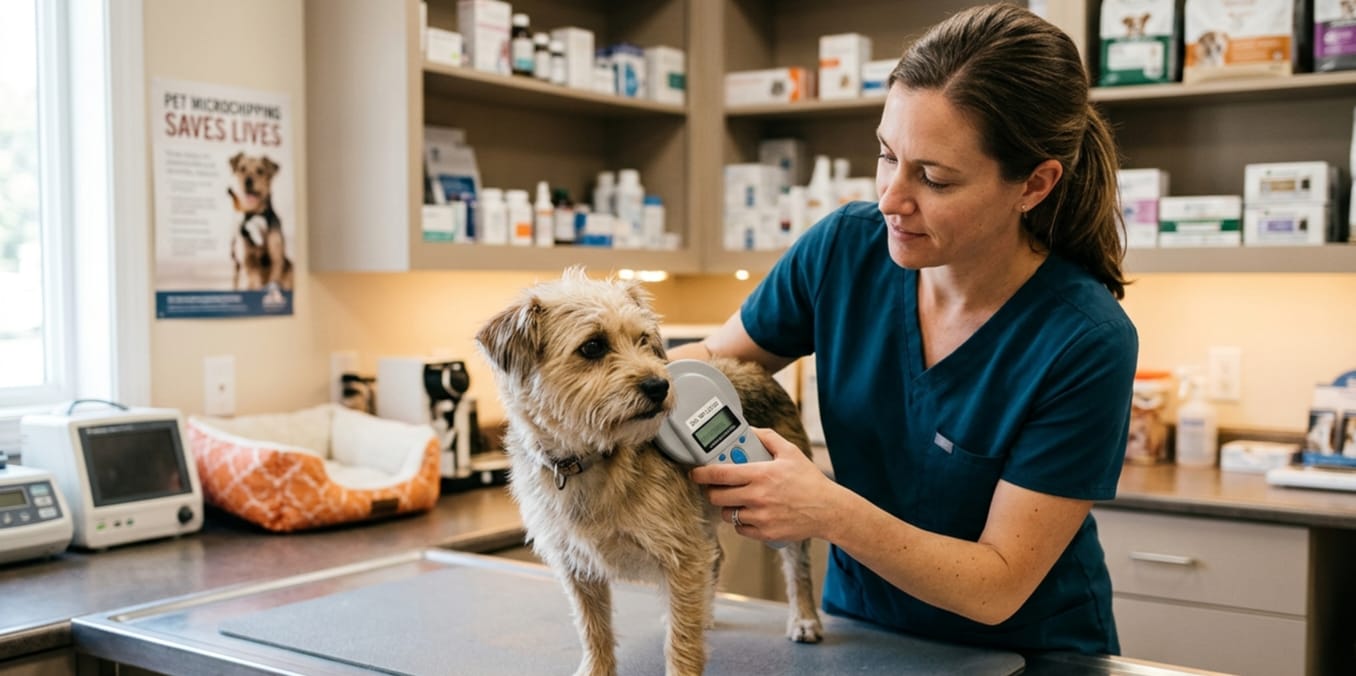
Pet SafetyBy Save This Life Now TeamUpdated: April 2026. 8 min read How to Check If Your Dog Is Already Microchipped Learn the true cost of dog microchips, registration fees, and optional services pet owners may pay.
Just adopted a rescue dog? Bought a puppy from a breeder? Taken in a stray? One of the first things you need to know is whether your dog already has a microchip. The good news: checking is completely free, takes under five minutes, and you have four different ways to do it. This guide walks you through every method — and tells you exactly what to do once you have the answer. Quick Answer How to Check If Your Dog Already Microchipped
To check if your dog is microchipped: Take them to any vet clinic or animal shelter and ask for a microchip scan — it’s free, takes 30 seconds, and tells you immediately. You can also check your dog’s paperwork for a 15-digit chip number, then verify it at lookup.aaha.org. You cannot check for a chip at home without a scanner.
Table of Contents
- Why You Need to Know If Your Dog Is Chipped
- 4 Ways to Check If Your Dog Is Microchipped
- How to Look Up a Chip Number in the Database
- What Your Results Mean — and What to Do Next
- Can You Feel a Microchip by Touching Your Dog?
- Where to Find Chip Info in Your Dog’s Paperwork
- Special Guide: Checking Microchips in Rescue and Stray Dogs
- What to Do If Your Dog Is Not Microchipped
- Frequently Asked Questions
Why You Need to Know If Your Dog Is Already Microchipped
Whether you just brought home a new dog or have owned yours for years, knowing their microchip status is one of the most important things you can do for their safety. Here is why it matters so much:
10M+
Pets go missing in the US every year
52%
More likely chipped dogs are reunited with owners
35%
Of microchipped shelter pets have unregistered chips
72 hrs
Average shelter holding period for unidentified strays
There are four common situations where checking your dog’s chip status is critically important:
Situations Where You Must Check
- You just adopted a rescue dog
- You bought a puppy from a breeder
- You took in a stray or found dog
- You adopted from a shelter overseas
- You inherited a pet from a family member
- You’re not sure if your vet ever chipped your dog
Risks of Not Knowing
- Paying to microchip an already-chipped dog
- An old owner’s info still on the chip
- Chip registered to the wrong person
- Unregistered chip that helps nobody
- Dog returned to wrong owner if found
- No protection if dog goes missing today
4 Ways to Check If Your Dog Is Microchipped OR How to Check If Your Dog Is Already Microchipped
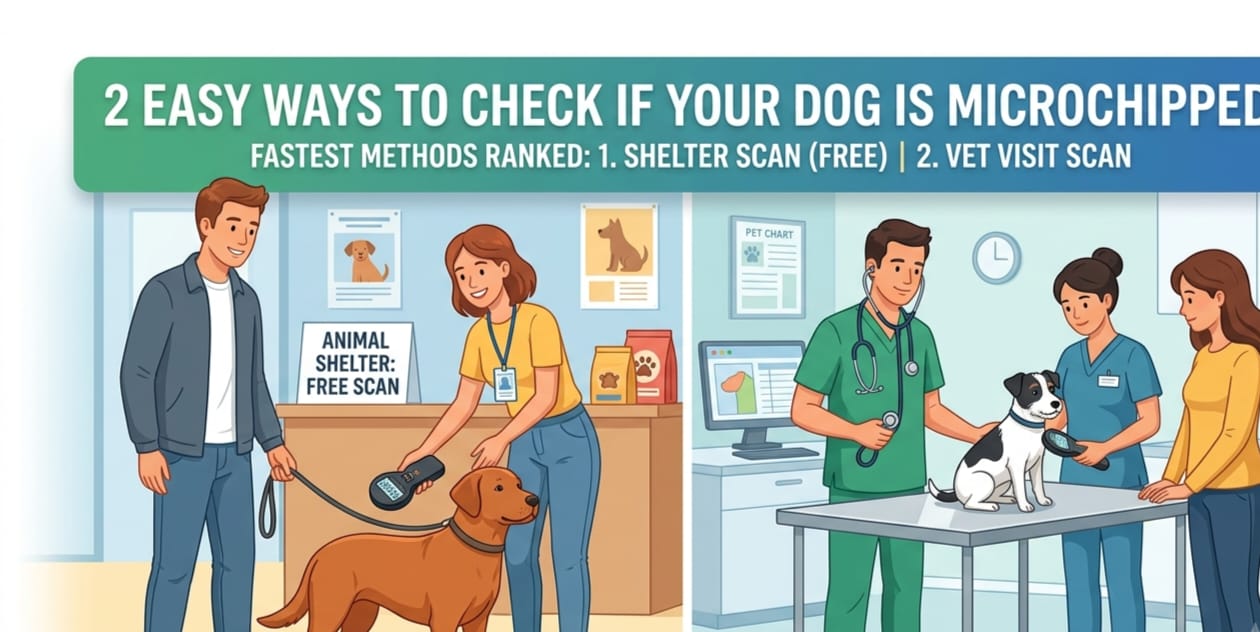
Here are all four methods — ranked from fastest and easiest to most involved. Start with Method 1 if you want an answer today.
1
Method One — Fastest & Most Reliable
Visit Any Animal Shelter for a Free Scan
Takes: 5 minutes · Cost: Free · No appointment needed
This is the fastest, most reliable, and completely free way to check if your dog has a microchip. Every animal shelter and rescue organization in the country has a microchip scanner. They will scan your dog immediately — no appointment, no fee, no paperwork required.
Just walk in, tell them you’d like to check if your dog has a microchip, and they’ll run the scanner over your dog’s back in under 30 seconds. They’ll tell you right then and there whether a chip is detected and what number it reads.
- Find your nearest animal shelter or humane society on Google Maps
- Walk in with your dog during opening hours
- Tell the front desk: “I’d like to check if my dog has a microchip”
- They’ll pass a scanner over your dog’s back and shoulder area
- They will tell you immediately: chip found or no chip found
- If a chip is found, ask for the 15-digit number in writing
Pro tip: Call ahead to confirm hours before making the trip. Most shelters welcome this type of visit and some will even scan your dog in the parking lot if you have a nervous or reactive dog.
2
Method Two — Most Thorough
Ask Your Vet to Scan During a Routine Visit
⏱ Takes: 30 seconds · Cost: Free or included in visit · Call ahead
Your regular veterinarian is another excellent option for microchip scanning. Most vet clinics offer chip scanning for free or include it as part of a routine wellness exam. The advantage of going to your vet is that they can immediately update your pet’s medical records with the chip number and give you professional guidance on next steps.
If you are already planning a wellness visit for vaccinations or a checkup, simply ask your vet to scan for a microchip while you are there. It adds about 30 seconds to the appointment and costs nothing extra in most clinics.How to Check If Your Dog Is Already Microchipped
- Call your vet clinic and mention you’d like them to scan for a microchip
- Bring your dog to the appointment
- The vet or vet tech will wave a scanner over the scruff and shoulder area
- They will confirm whether a chip is present and provide the number
- Ask them to add the chip number to your pet’s permanent medical record
Pro tip: Ask your vet to use a universal scanner that reads all chip frequencies including older 125 kHz chips — not just modern 134.2 kHz ISO chips. Some clinics only have one type of scanner. A universal scanner catches chips that might otherwise be missed.
3
Method Three — Check First Before Going Anywhere
Search Your Dog’s Paperwork and Records
Takes: 5–10 minutes · Cost: Free · Do this at home
Before heading to a shelter or vet, take a few minutes to check the paperwork that came with your dog. A chip number is often hiding in plain sight in documents you already have. This is especially true for dogs adopted from rescue organizations, purchased from registered breeders, or imported from another country.How to Check If Your Dog Is Already Microchipped
| Document to Check | What to Look For | Where to Find It |
|---|---|---|
| Adoption contract | 15-digit number labeled “microchip” or “chip ID” | Paperwork given at adoption |
| Vaccination certificate | Chip number often printed alongside health records | Vet-issued health booklet |
| Breeder’s documentation | Reputable breeders list chip numbers in their paperwork | Purchase agreement or puppy pack |
| Pet passport | International travel documents always list chip number | Official pet travel booklet |
| Previous vet records | Chip number in patient file if vet performed the procedure | Request from previous vet clinic |
| Rescue microchip sticker | Small sticker with barcode and 15-digit number | Often stuck inside the adoption folder |
Found a number? Even if you find a chip number in paperwork, still verify it with a physical scan at a vet or shelter. Paperwork can contain typos, and some breeders list planned chip numbers before implantation. A physical scan confirms the chip is actually present and reading correctly. And How to Check If Your Dog Is Already Microchipped
4
Method Four — Verify Registration Online
Search the AAHA Universal Microchip Lookup Database
Takes: 2 : Free · Online anytime
If you already have a chip number — from paperwork or a scan — use this method to check whether the chip is registered in a database and who it is registered to. This is not a method to detect whether a chip exists, but it is essential for finding out whether the chip is properly registered and whether the contact information is current.
The AAHA Universal Pet Microchip Lookup at lookup.aaha.org is the official tool used by shelters and vets across the United States. It searches multiple databases simultaneously in a single search.
- Go to lookup.aaha.org on any device
- Type the 15-digit chip number into the search box
- Click “Search”
- Read the results — see below for what each result means
This tool is also useful for found dogs. If you find a stray dog and are trying to locate the owner, scan the dog at any shelter to get the chip number, then search it here to find registered owner contact details.
How to Look Up a Chip Number in the Database
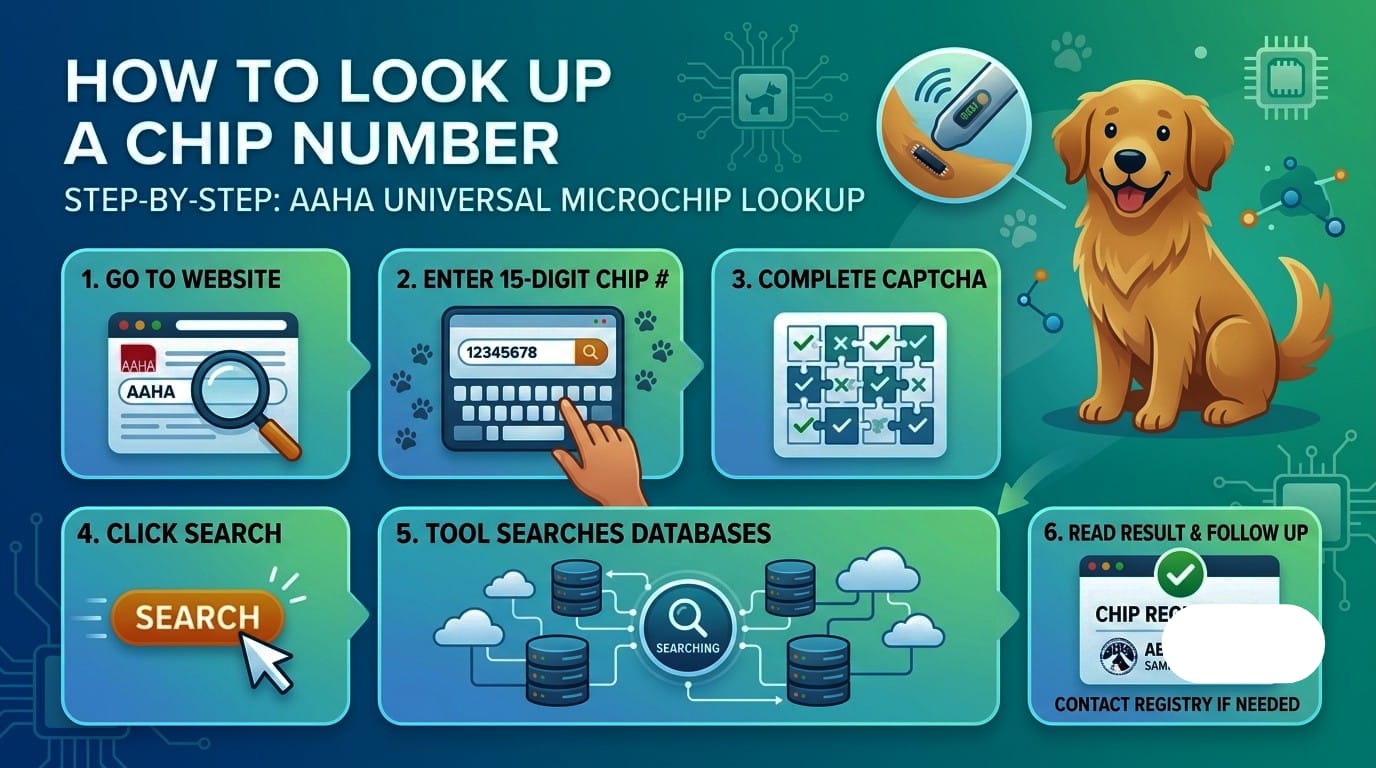
Once you have your dog’s chip number, here is the complete process to verify registration and find out who the chip is registered to:
Step-by-Step: AAHA Universal Microchip Lookup
- Open a browser and go to lookup.aaha.org
- Enter your dog’s 15-digit microchip number in the search field — double-check for typos
- Complete the CAPTCHA verification if prompted
- Click the “Search” button
- The tool searches multiple US microchip databases simultaneously
- Read the result — see the section below for what each outcome means
- If registered, note which registry holds the record and contact them if you need to transfer ownership
Other Databases Worth Checking
While AAHA searches the most major databases, you can also check petlink.net, homeagain.com, and akcreunite.org individually if the AAHA lookup returns no results. Some older chips from before 2010 may only appear in specific proprietary databases not yet integrated into the universal lookup.
What Your Results Mean — and Exactly What to Do Next and How to Check If Your Dog Already Microchipped
Here are the three possible outcomes when you scan or search a chip, and the precise action you should take for each one:
Chip found AND registered with current owner info
What it means: The chip exists, is working, and is linked to an owner’s contact information in a database.
What to do: If this is your dog and the info is yours — great, you’re all set. Verify the contact details are current. If you just adopted this dog and the old owner’s info is still showing, contact the registry to transfer ownership to yourself with your details.
Chip found but NOT registered (no results in database)
What it means: The chip was implanted but nobody ever linked it to a name and phone number. The chip is there but useless — a shelter can see the number but cannot find the owner.
What to do: Register immediately at foundanimals.org — free, takes 5 minutes. Enter the chip number and your contact information. This is the most important step you can take right now.
No chip detected at all
What it means: Your dog either does not have a microchip, or has an older chip that the scanner couldn’t detect (rare).
What to do: Get your dog microchipped as soon as possible. Ask your vet for a universal scanner to be absolutely sure, then book a microchipping appointment. Cost is $25–$75 at a vet or free at many shelters and community events.
Can You Feel a Microchip by Touching Your Dog?
This is a question many dog owners try at home — and the honest answer is: sometimes, but not reliably.
In some dogs — particularly those that are lean or have short, thin coats — you may be able to feel a tiny, firm, rice-grain-sized lump beneath the loose skin between the shoulder blades. It feels like a small smooth pebble just under the surface of the skin. It doesn’t move freely and isn’t painful when touched.
What a Microchip Feels Like Under the Skin
Size: Roughly 12mm long and 2mm wide — about the size of a grain of long-grain rice
🪨Texture: Smooth, firm, and slightly rigid — like a tiny smooth pebble
Location: Usually between the shoulder blades, in the loose skin — but chips can migrate slightl
Movement: Doesn’t slide around freely but may shift slightly when the skin is moved
Feel to the dog: Usually not sensitive — most dogs don’t react when you touch it
Don’t Rely on Touch Alone
Many microchips simply cannot be felt — especially in dogs with thick fur, heavy coats, or more body fat. A chip that has migrated from the original implant site may also be in a different location entirely. Never assume a dog is not chipped just because you can’t feel anything. Always confirm with a scanner.
Special Guide: Checking Microchips in Rescue and Stray Dogs
If you have recently adopted a rescue dog or taken in a stray, the chip situation requires a bit more care. Here is what you need to know specifically for these situations:
For Rescue Dogs From a Shelter or Organization
Reputable rescue organizations microchip all dogs before adoption — it is standard practice. Your adoption paperwork should include the chip number. However, you need to do two important things:
- Verify the chip is still registered to you — not the rescue organization or a previous owner. Search the chip number at lookup.aaha.org immediately after adoption.
- Transfer ownership — if the chip is still registered to the rescue, contact the registry and request an ownership transfer to your name and contact details.
For Stray Dogs You Have Taken In
If you’ve found a stray dog and want to check if it belongs to someone, follow this process:
- Take the dog to any shelter or vet for an immediate free scan
- If a chip is found, search the number at lookup.aaha.org
- If an owner is registered, contact them — the dog may simply be lost
- If no registration is found, report the found dog to your local shelter and post on local lost pet Facebook groups
- If no owner comes forward within the legal holding period, you may be able to adopt the dog and register the chip in your name
Important: Stray Dogs With Registered Chips
If you scan a stray dog and find a registered chip belonging to someone else, that dog legally belongs to their registered owner. Contact the registry and the owner immediately. Keeping a dog you know is registered to someone else can have legal consequences in many states.
What to Do If Your Dog Is Not Microchipped
If the scan comes back negative and your dog has no chip, the single most important thing you can do right now is get them microchipped. Here is everything you need to know to make that happen quickly and affordably:
Call your vet today and book a microchipping appointment
The procedure takes under 30 seconds and costs $25–$75 at most clinics. Ask to add it onto your next routine visit to avoid a separate exam fee.
Search for free microchipping events near you
Search “free pet microchipping near me” on Google. Many shelters, ASPCA chapters, and Petco Love events offer free or $10–$15 microchipping throughout the year.
Register the chip number within 24 hours of implantation
Go to foundanimals.org immediately after the procedure. Registration is free, takes 5 minutes, and is the step that actually makes the chip work.
Verify the registration at lookup.aaha.org
After registering, search your chip number here to confirm it shows up in the universal database that shelters use when they find a lost pet.
In the Meantime — Keep a Collar and Tag On
While you arrange microchipping, make sure your dog wears a collar with a clearly readable ID tag showing your current phone number. A collar is the first line of identification — a chip is the permanent backup. Your dog should ideally have both at all times.
Complete Checklist: Everything to Do After Checking Your Dog’s Chip
Whether your dog was chipped or not, here is your complete action list based on what you found:
- Scan your dog at a shelter or vet to confirm chip presence or absence
- Get the 15-digit chip number in writing — save it in your phone AND write it somewhere physical
- Search the chip number at lookup.aaha.org to check registration status
- If registered to someone else — contact the registry to transfer ownership to your name
- If unregistered — go to foundanimals.org and register immediately for free
- If no chip found — book a microchipping appointment this week
- Add your current phone number and a secondary emergency contact to the registry
- Upload a clear, recent photo of your dog to the registry profile
- Ask your vet to scan the chip at every annual wellness visit going forward
- Set a yearly calendar reminder to verify your registry contact details are still current
Verify Your Dog’s Chip Right Now
It takes 2 minutes and is completely free. If it’s not registered — fix it today.Search Chip at AAHA →Register Free →
Frequently Asked Questions
How do I check if my dog is microchipped?+
The fastest way is to take your dog to any animal shelter or vet clinic and ask for a microchip scan — it’s free and takes under 30 seconds. You can also check paperwork from your breeder, rescue, or previous vet for a 15-digit chip number. Once you have a number, search it at lookup.aaha.org to see if it’s registered. Can I check if my dog is microchipped at home?+
You cannot physically scan for a chip at home without a scanner device. However, you can check your dog’s paperwork for a listed chip number and look it up at lookup.aaha.org to check registration. To confirm a chip is actually implanted, you need a scanner — available free at any shelter or vet clinic. Is scanning for a microchip free?+
Yes — scanning a dog for a microchip is free at virtually all animal shelters and rescue organizations. Most vet clinics also offer it for free or include it in a routine exam. The AAHA Universal Pet Microchip Lookup at lookup.aaha.org is also completely free to search. My rescue dog’s chip is still registered to the rescue — what do I do?+
Contact the registry where the chip is registered (the AAHA lookup will tell you which one) and request an ownership transfer. Most registries have an online transfer process. You’ll typically need to provide proof of adoption. Once transferred, update all fields with your current contact information and verify the update at lookup.aaha.org. What if my dog’s chip number doesn’t show up in any database?+
If a chip is detected by a scanner but doesn’t appear in the AAHA lookup, the chip is unregistered. Register it immediately at foundanimals.org for free. Enter the exact 15-digit number and your contact details. Wait 24–48 hours and search again at lookup.aaha.org to confirm the registration has synced. If it still doesn’t appear, contact the registry’s support team. Can a dog have two microchips?+
Yes — this occasionally happens with dogs that have been rehomed multiple times or imported from countries where a different chip standard was used. A dog may have an older 125 kHz chip from their birth country and a newer 134.2 kHz ISO chip added later. If your vet finds two chips, make sure both numbers are registered to your current contact information. What if the scanner doesn’t detect a chip but I think my dog is chipped?+
Ask for a universal scanner — one that reads both 125 kHz and 134.2 kHz frequencies. Older chips use a different frequency and some scanners only detect the newer ISO standard. If you have paperwork showing a chip was implanted but no scanner finds it, it may have failed (rare) or migrated to an unusual location. Ask the vet to scan your dog’s entire body, not just the standard shoulder area.How to Check If Your Dog Is Already Microchipped
The Bottom Line: Check Your Dog’s Chip Status Today
Checking whether your dog is microchipped is one of the simplest things you can do as a pet owner — it costs nothing, takes five minutes, and could be the difference between your dog coming home and being lost forever.
If you’ve just brought home a new dog — rescue, puppy, or stray — make this your first priority this week. Walk into any shelter. Ask for a scan. Get the number. Check the registration. And if anything is missing or wrong — fix it today, not tomorrow.
Your dog is counting on you to get this right before they need it.How to Check If Your Dog Is Already Microchipped
Related Articles on Save This Life Now
- Complete Guide to Pet Microchipping (Pillar Article)
- How Much Does It Cost to Microchip a Dog? (2026 Prices)
- How to Register a Pet Microchip (Step-by-Step Guide)
- Does Microchipping a Dog Hurt? What Vets Really Say
- Best Pet Microchip Registries in the USA (2026 Comparison)
- My Dog Is Missing: What to Do in the First 24 Hours
